
Kia Cee'd: LCD display information / Turn on "FUSE SWITCH" (mode switch)
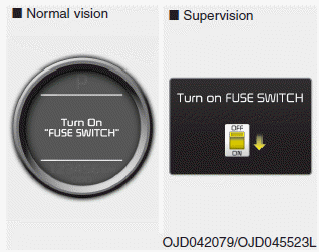
The notice appears to inform the driver to turn on the fuse switch in the instrument panel under the steering wheel.
For more details, refer to “Fuses” in chapter 7.
 Illumination intensity
The illumination intensity of the instrument
panel is shown when adjusting it
with the illumination control switch.
For more details, refer to “Instrument
panel illumination” in chapter 4 ...
 Parking assist warning
Displays the area an obstacle is detected
while moving forward or rearward.
For more details, refer to “Parking assist
system” in chapter 4. ...
Other information:
: Departure Time Settings
Select Charge Preferences on the
Charge Settings screen.
Select Departure Time Setup on the
Edit Charge Preferences screen.
Two time settings show for each day
of the week on the Departure Times
schedule screen. Select any one.
On the Departure Time settings screen,
set your desired d ...
: What Is the Vehicle Range Display - Plug-In Hybrid Electric Vehicle (PHEV)
Vehicle range indicates the estimated
distance your vehicle can travel with the
energy currently onboard. Estimates vary
based on the energy used when driving.
Changes in driving pattern can cause the
values to not only decrease but also
increase or stay constant for periods of
time.
The amou ...
