
Kia Cee'd: Instrument cluster (Super vision) / Trip computer
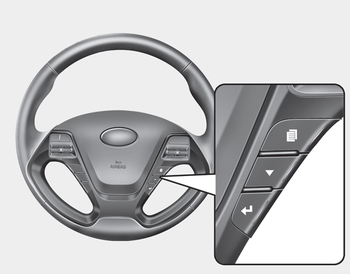
The trip computer is a microcomputercontrolled driver information system that displays information related to driving when the ignition switch is in the ON position.
Press the  button for less than
1 second
to select any group as follows :
button for less than
1 second
to select any group as follows :
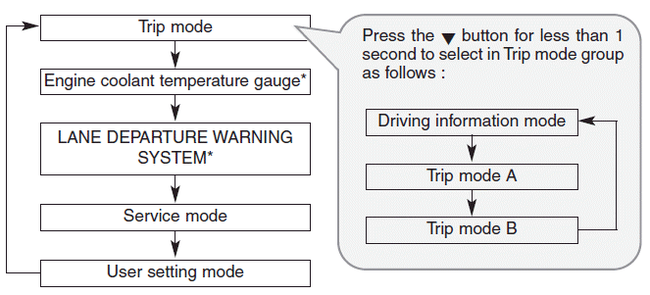
- Driving information mode
- Trip mode (A, B)
- Lane Departure Warning System (LDWS) Mode
- Service mode
- User Settings
 Odometer (km or mi.)
■ Type A
■ Type B
The odometer indicates the total distance
the vehicle has been driven.
You will also find the odometer useful to
determine when periodic maintenance
should be perfor ...
 Driving information mode
This mode indicates 3 kinds of driving
Information.
All stored driving information (except
odometer, distance to empty and instant
fuel economy) resets if the battery is disconnected.
1. Dis ...
Other information:
Kia Cee'd JD Owners Manual: Using the transmitter
Park the vehicle and stop the engine.
Arm the system as described below.
1.Turn off the engine and remove the
ignition key from the ignition switch.
2.Make sure that all doors, the engine
hood and tailgate are closed and
latched.
3.Lock the doors by pressing the lock
button on the trans ...
Kia Cee'd JD Service Manual: Description and operation
Description
System Overview
The System offers the following features:
–
Human machine interface through a 1-stage button, for terminal switching
and engine start.
–
Control of external relays for ACC / IGN1 / IGN2 term ...
