
Kia Cee'd: Driving your vehicle / Lane departure warning system (LDWS)
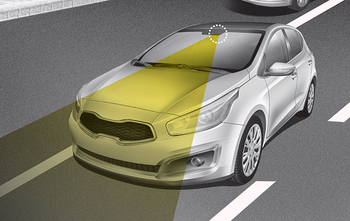
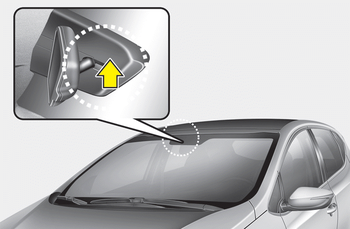
This system detects the lane with the sensor at the front windshield and warns you when your vehicle leaves the lane.
WARNING
- The LDWS does not make the vehicle change lanes. It is the driver's responsibility to always check the road conditions.
- Do not turn the steering wheel suddenly, when the LDWS warns you that your vehicle is leaving the lane.
- If the sensor can not detect the lane or if the vehicle speed does not exceed 60km/h, the LDWS won't warn you even though the vehicle leaves the lane.
- If your vehicle has window tint or other types of coating on the front windshield, the LDWS may not work properly.
- Do not let water or any kind of liquid come in contact with the LDWS sensor.
- Do not remove the LDWS parts and do not affect the sensor by a strong impact.
- Do not put objects that reflect light on the dash board.
- Always check road conditions because you may not hear the warning chime because of audio and external conditions.
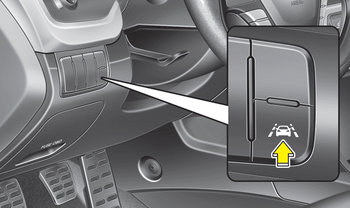
To operate the LDWS, press the switch with the ignition in the ON position. The indicator illuminates on the cluster. To cancel the LDWS, press the switch again.
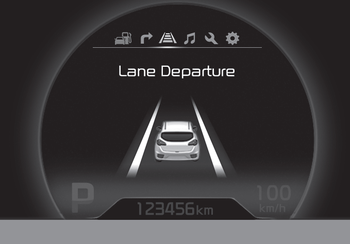
• When the sensor detects the lane line
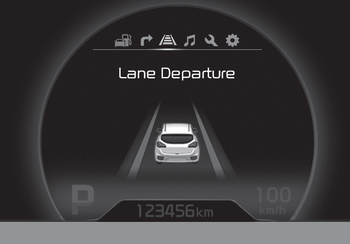
• When the sensor doesn’t detect the lane line
If your vehicle leaves the lane when the LDWS is operating and vehicle speed exceeds 60km/h, the warning operates as follows:
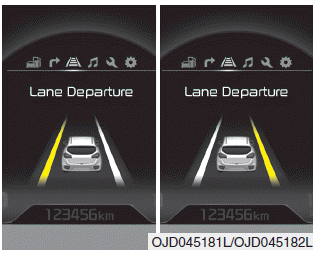
1. Visual warning
If you leave the lane, the lane you leave on the LCD display blinks yellow with 0.8 second of interval.
2. Auditory warning
If you leave the lane, the warning sound operates with 0.8 second of interval.
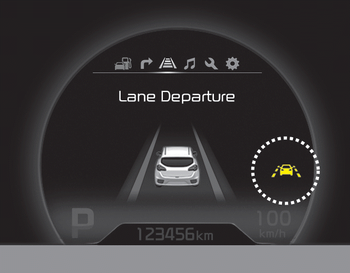
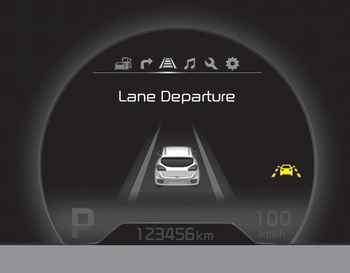
If you change the display mode of trip computer while the LDWS is ON, the symbol of the LDWS will display like a picture.
The color of symbol will change depend on the condition of LDWS system.
- White color : It means the sensor does
not detect the lane line.
- Green color : It means the sensor detects
the lane line.
- Warning indicator
- The LDWS does not operate when
- The LDWS may not warn you even if the vehicle leaves the lane, or may warn you even if the vehicle does not leave the lane when
 To turn off the speed limit control,
do one of the following
To turn off the speed limit control,
do one of the following
Move the lever up ().
Move the lever down ().
(If you
move the lever down, the cruise system
will turn on)
Turn the ignition off.
If you press the O (CANCEL) button
once, the se ...
 Warning indicator
When the LDWS is not working properly,
the warning light will illuminate and the
warning message will come on for a few
second. After the message disappears,
the master warning light will ...
Other information:
: Switching Adaptive Cruise Control On and Off. Adaptive Cruise Control Automatic Cancellation. Setting the Adaptive Cruise Control Speed
Switching Adaptive Cruise Control On and Off
The cruise controls are on the steering
wheel.
Switching Adaptive Cruise Control On
Press the button to set the
system in standby mode.
The indicator, current gap setting and set
speed appear in the information display.
Switching Adaptive Cruise Contr ...
Kia Cee'd JD Service Manual: Variable Intake Solenoid (VIS) Valve Specifications
Specification
Item
Specification
Coil resistance (Ω)
30.0 ~ 35.0 [20°C(68°F)]
...
