
Kia Cee'd: LCD display information / Illumination intensity
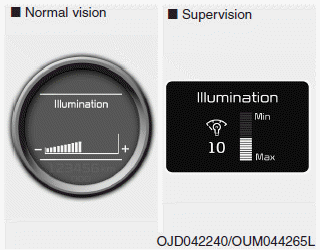
The illumination intensity of the instrument panel is shown when adjusting it with the illumination control switch.
For more details, refer to “Instrument panel illumination” in chapter 4.
 Sunroof open
If driver removes the ignition key (Smart
key : turns off the engine) and opens the
driver-side door when the sunroof is not
fully closed, warning message will appear
on the LCD display. Als ...
 Turn on "FUSE SWITCH" (mode switch)
The notice appears to inform the driver to
turn on the fuse switch in the instrument
panel under the steering wheel.
For more details, refer to “Fuses” in chapter
7. ...
Other information:
Kia Cee'd JD Service Manual: Windshield Wiper-Washer Switch Repair procedures
Inspection
Check for continuity between the terminals while operating the wiper and washer
switch. If it is not normal condition, replace wiper and wiper switch.
Wiper Switch
Washer Switch
Rear Wiper Switch
Rear Washer Switch
Removal
...
Kia Cee'd JD Service Manual: Components and components location
Components
1. Clutch release fork
2. Clutch cover assembly
3. Clutch disk assembly
4. Clutch release bearing
...
