
Kia Cee'd: LCD display information / Align steering wheel
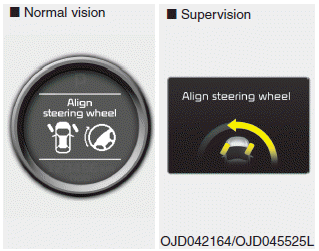
If you start the engine when the steering wheel is turned 90 degrees to the left (or right) after a couple of seconds, “Align steering wheel” illuminates on the LCD display for 5 seconds.
Turn the steering wheel to the right (or left) and make it turned to the left (or right) less than 30 degrees.
 Parking assist warning
Displays the area an obstacle is detected
while moving forward or rearward.
For more details, refer to “Parking assist
system” in chapter 4. ...
 For vehicle’s equipped with smart
key system
For vehicle’s equipped with smart
key system
Key not in vehicle
If the smart key is not in the vehicle and
if any door is opened or closed with the
engine start/stop button in the ACC, ON,
or START position, the warning illuminates
on ...
Other information:
Kia Cee'd JD Service Manual: Rear Shock Absorber Repair procedures
Replacement
1.
Loosen the wheel nuts slightly.Raise the vehicle, and make sure it is
securely supported.
2.
Remove the rear wheel and tire (A) from rear hub.
Tightening torque:
88.2 ~ 107.8 ...
Kia Cee'd JD Service Manual: Alignment Repair procedures
Front wheel alignment
When using a commercially available computerized wheel alignment equipment
to inspect the front wheel alignment, always position the vehicle on
a level surface with the front wheel ...
