
Kia Cee'd: How the system works (Parking mode) / 5. Steering wheel control
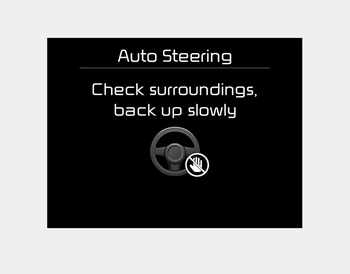
- The above message will appear if the shift lever is in R (Reverse). The steering wheel will be controlled automatically.
- The system will be cancelled if you firmly hold the steering wheel while it is controlled automatically.
- The system will be cancelled if vehicle speed is over 7km/h(4.3mph).
WARNING
Do not put your hands between the steering wheel while it is being automatically controlled.
CAUTION
- Always drive slowly with the brake pedal applied.
- Always check for objects around your vehicle before driving.
- If the vehicle does not move even though the brake pedal is not depressed, check the surrounding before depressing the accelerator pedal. Be sure not to speed over 7km/h(4.3mph).
✽ NOTICE
- If you do not follow the instructions provided, you may fail to park your vehicle. However, if the Parking Assist System warning sound (distance from object is within 30cm: continuous beep) occurs, slowly drive the vehicle to the reverse direction of the detected object after checking the surrounding.
- Always check the surrounding before driving your vehicle if the Parking Assist System warning sound (distance from object is within 30cm: continuous beep) is heard for the object is close to your vehicle.
To cancel the system while parking
Press the Smart Parking Assist System button or turn the steering wheel to the left or right.
Gear shift while steering wheel control
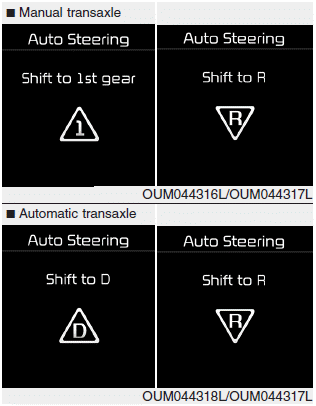
When the above message appears with a beep sound, shift the gear and drive the vehicle with the brake pedal depressed.
CAUTION
Always check the surrounding before releasing the brake pedal.
WARNING
Always be careful while parking for other vehicles or pedestrians.
 4. Search complete
While driving forward to search for a
parking space, the above message will
appear with a beep sound if the search is
complete. Stop the vehicle and shift to
the R (Reverse) position.
CAUTI ...
 6. Smart Parking Assist System completed
Complete parking your vehicle according
to the instructions on the LCD display. If
required, manually control the steering
wheel and complete parking your vehicle.
✽ NOTICE
The brake pedal ...
Other information:
Kia Cee'd JD Service Manual: Input Speed Sensor 1 Repair procedures
Inspection
Refer to DTC code "P2765, P2766" Input Shaft Speed Sensor.
Removal
1.
Turn off the ignition switch and then disconnect the battery (-) cable.
2.
Remove the under cover.
3.
...
Kia Cee'd JD Owners Manual: Engine compartment panel fuse
replacement
Diesel only
1. Turn the ignition switch and all other
switches off.
2. Remove the fuse box cover by pressing
the tap and pulling up. When the
blade type fuse is disconnected,
remove it by using the clip designed for
changing fuses located in the engine
room fuse box. Upon removal, ...
