
Kia Cee'd: Rear Seat / Rear Seat Back Cover Repair procedures
Kia Cee'd JD Service Manual / Body (Interior and Exterior) / Rear Seat / Rear Seat Back Cover Repair procedures
| Replacement |
[LH]
|

|

| 1. |
Remove the rear seat back assembly [LH].
(Refer to Rear Seat - "Rear Seat Assembly")
|
| 2. |
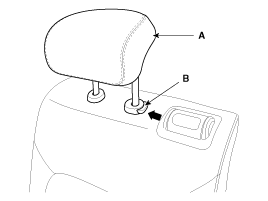
Push the lock pin (B), remove the rear seat headrest (A).
|
| 3. |
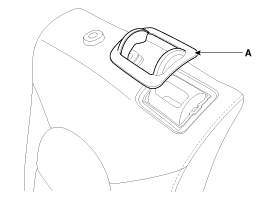
Using a screwdriver or remover, remove the rear seat latch cover (A).
|
| 4. |
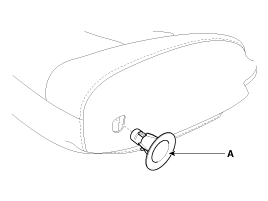
Using a screwdriver or remover, remove the rear seat pivot bush (A).
|
| 5. |
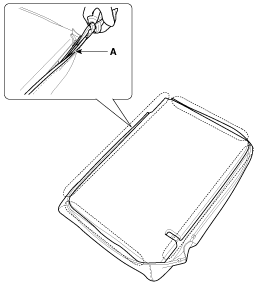
Disconnect the rear seat back cover protector (A).
|
| 6. |
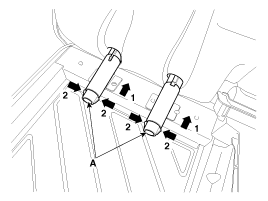
Pull out the headrest guides (A) while pinching the end of the guides,
and remove them.
|
| 7. |
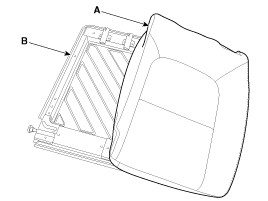
Remove the rear seat back cover (A) from the rear seat back structure
(B).
|
| 8. |
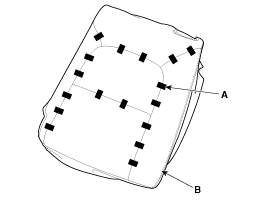
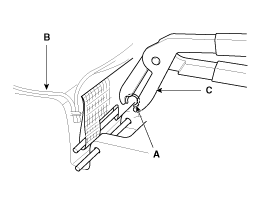
After removing the hog-ring clips (A) on the rear of seat back and remove
the rear seat back cover (B).
|
| 9. |
Install in the reverse order of removal.
|

[RH]
|
|
| 1. |
Remove the rear seat back assembly [RH].
(Refer to Rear Seat - "Rear Seat Assembly")
|
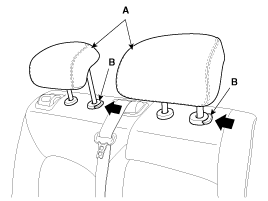
| 2. |
Push the lock pin (B), remove the rear seat headrest (A).
|
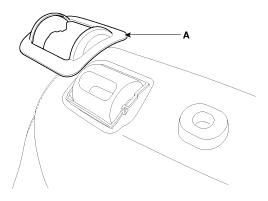
| 3. |
Using a screwdriver or remover, remove the rear seat latch cover (A).
|
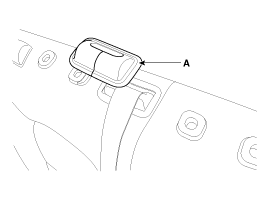
| 4. |
Using a screwdriver or remover, remove the rear seat belt outlet cover
(A).
|
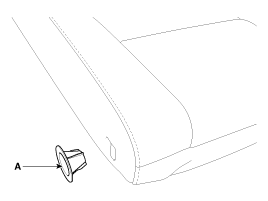
| 5. |
Using a screwdriver or remover, remove the rear seat pivot bush (A).
|
| 6. |
To remove the rear seat armrest
[5Door, Waggon only]
|
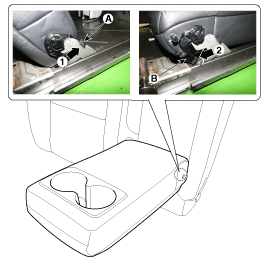
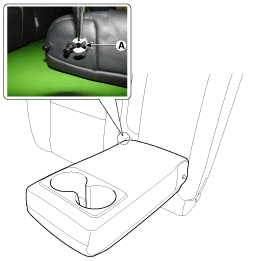
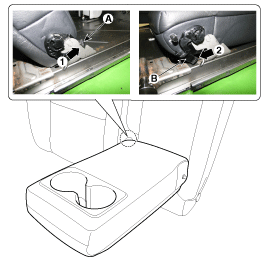
| 7. |
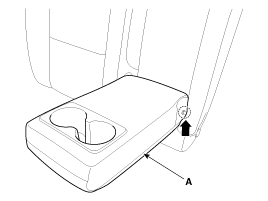
Remove the rear seat armrest (A) by lifting the left side.
[5Door, Waggon only]
|
| 8. |
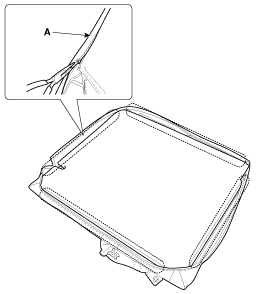
Disconnect the rear seat back cover protector (A).
|
| 9. |
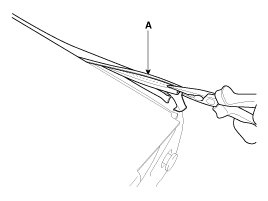
Disconnect the rear seat back upper protector (A).
|
| 10. |
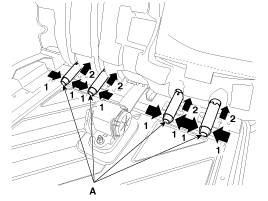
Pull out the headrest guides (A) while pinching the end of the guides,
and remove them.
|
| 11. |
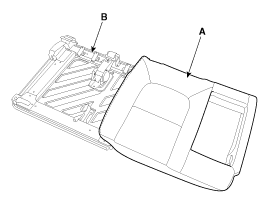
Remove the rear seat back cover (A) from the rear seat back structure
(B).
|
| 12. |
After removing the hog-ring clips (A) on the rear of seat back and remove
the rear seat back cover (B).
|
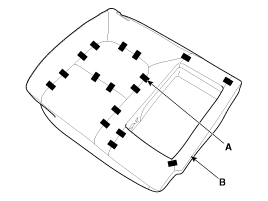
| 13. |
Install in the reverse order of removal.
|
 Rear Seat Back Cover Components and components location
Component Location
1. Rear seat back cover [LH]
2. Rear seat back cover [RH]
...
 Rear Seat Cushion Cover Components and components location
Component Location
1. Rear seat cushion cover [LH]
2. Rear seat cushion cover [RH]
...
Other information:
Kia Cee'd JD Service Manual: Center Pillar Trim Components and components location
Component Location
[5Door]
1. Center pillar lower trim
2. Center pillar upper trim
[3Door]
1. Rear inner outer trim
2. Center pillar upper trim
...
Kia Cee'd JD Service Manual: Components and components location
Components
1. LDWS ON/OFF switch
2. Instrument cluster
3. LDWS unit
...
© 2017-2026 www.kceed.com
