
Kia Cee'd: Storage compartment / Glove box
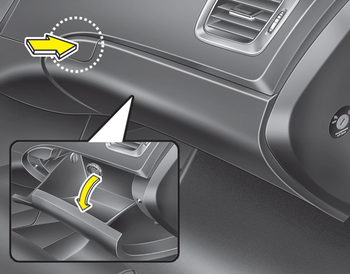
To open the glove box, push the button and the glove box will automatically open. Close the glove box after use.
WARNING
To reduce the risk of injury in an accident or sudden stop, always keep the glove box door closed while driving.
CAUTION
Do not keep food in the glove box for a long time.
 Sliding armrest
To move forward
Grab the front portion of the armrest (1)
then pull it forward
To move rearward
Push the armrest rearward with your palm.
WARNING
Do not grab the front portion of the
armres ...
 Cool box
You can keep beverage cans or other
items cool in the glove box.
1. Turn on the air conditioning. The temperature
of the cool box will change
according to the temperature of air
conditionin ...
Other information:
: Emission Law
WARNING: Do not remove or alter
the original equipment floor covering or
insulation between it and the metal floor
of the vehicle. The floor covering and
insulation protect occupants of the
vehicle from the engine and exhaust
system heat and noise. On vehicles with
no original equipment floor ...
Kia Cee'd JD Service Manual: Heater & A/C Control Unit (MANUAL) Repair procedures
Replacement
•
When prying with a flat-tip screwdriver, wrap it with protective
tape, and apply protective tape around the related parts, to
prevent damage.
...
