
Kia Cee'd: Rear seat / Armrest
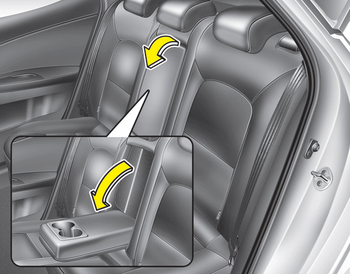
To use the armrest, pull it forward from the seatback.
 Headrest
The rear seat is equipped with headrests
in all the seating positions for the occupant's
safety and comfort.
The headrest not only provides comfort
for passengers, but also helps protect the ...
 Folding the rear seat
The rear seatbacks (or cushions) may be
folded to facilitate carrying long items or
to increase the luggage capacity of the
vehicle.
WARNING
The purpose of the fold-down rear
seatbacks (or c ...
Other information:
Kia Cee'd JD Service Manual: Components and components location
Components
1. Front door tirm
2. Front door grip handle cover
3. Front door inside handle housing
4. Front door pull handle cap
5. Front door module
6. Front door panel
7. Front door quadrant inner cover
8. Front door belt inside wea ...
Kia Cee'd JD Owners Manual: Dual clutch transmission operation
The dual clutch transmission has 7 (or 6)
forward speeds and one reverse speed.
The individual speeds are selected automatically
in the D (Drive) position.
WARNING
To reduce the risk of serious injury
or death:
ALWAYS check the surrounding
areas near your vehicle for people,
es ...
