
Kia Cee'd: Fuses / Inner panel fuse replacement
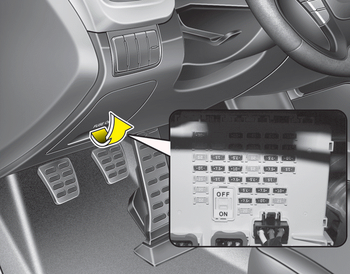
1. Turn the ignition switch and all other switches off.
2. Open the fuse panel cover.
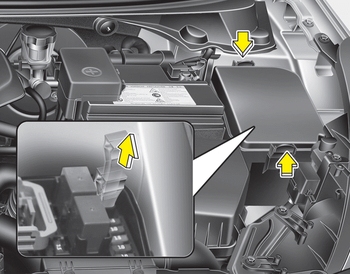
3. Pull the suspected fuse straight out. Use the removal tool provided in the engine compartment fuse panel.
4. Check the removed fuse; replace it if it is blown.
5. Push in a new fuse of the same rating, and make sure it fits tightly in the clips.
If it fits loosely, we recommend that you consult an authorized Kia dealer.
If you do not have a spare, use a fuse of the same rating from a circuit you may not need for operating the vehicle, such as the cigar lighter fuse.
If the headlights, fog lights, turn signal lights, position lights or interior lights do not work and there is nothing wrong with the bulbs, we recommend that you consult with an authorized Kia dealer.
 Fuses
Fuses
■ Blade type
■ Cartridge type
■ Multi fuse type
■ Battery fuse terminal (BFT)
A vehicle’s electrical system is protected
from electrical overload damage by
fuses.
This vehic ...
 Fuse switch
Always, put the fuse switch at the ON
position.
If you move the switch to the OFF position,
some items such as audio and digital
clock must be reset and transmitter
(or smart key) may not w ...
Other information:
Kia Cee'd JD Service Manual: Rear Seat Cushion Cover Components and components location
Component Location
1. Rear seat cushion cover [LH]
2. Rear seat cushion cover [RH]
...
: Locating the Pre-Collision Assist Sensors
Camera.
Radar sensor (if equipped).
If a message regarding a blocked sensor
or camera appears in the information
display, something is obstructing the radar
signals or camera images. The radar sensor
is behind the fascia cover in the center of
the lower grille. With a blocked sensor or
ca ...
