
Kia Cee'd: Manual climate control system / Heating and air conditioning
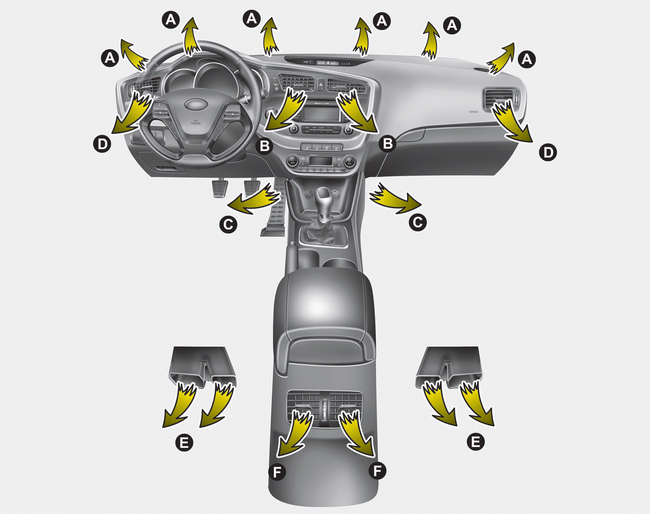
1. Start the engine.
2. Set the mode to the desired position.
To improve the effectiveness of heating
and cooling:
- Heating: 
- Cooling: 
3. Set the temperature control to the desired position.
4. Set the air intake control to the outside (fresh) air or recirculated position.
5. Set the fan speed control to the desired speed.
6. If air conditioning is desired, turn the air conditioning system on.
- Mode selection
- Temperature control
- Air intake control
- Fan speed control
- To turn off the blowers
- Air conditioning
 Manual climate control system
1. Fan speed control knob
2. Air conditioning button
3. Rear window defroster button
4. Mode selection knob
5. Air intake control button
6. Temperature control knob
CAUTION
Operating the blow ...
 Mode selection
The mode selection knob controls the
direction of the air flow through the ventilation
system.
Air can be directed to the floor, dashboard
outlets, or windshield. Six symbols
are used to re ...
Other information:
Kia Cee'd JD Service Manual: Front Fog Lamps Repair procedures
Inspection
1.
Disconnect the negative (-) battery terminal.
2.
Remove the lighting switch of the multifunction switch.
(Refer to Multifunction Switch)
3.
With the front fog lamp switch, make sure ...
Kia Cee'd JD Service Manual: Rear Bumper Cover Components and components location
Component Location
1. Rear bumper cover
...
