
Kia Cee'd: Dual Clutch Transmission Control System / Gear Actuator Repair procedures
Kia Cee'd JD Service Manual / Dual Clutch Transmission(DCT) System / Dual Clutch Transmission Control System / Gear Actuator Repair procedures
| Removal |
| 1. |
Turn off the ignition switch and then disconnect the battery (-) cable.
|
| 2. |
Remove the air cleaner assembly and air duct.
(Refer to Engine Mechanical System - "Air cleaner")
|
| 3. |
Remove the battery and battery tray.
(Refer to Engine Electrical System - "Battery")
|
| 4. |
Remove the ECM.
(Refer to Fuel System - "Engine Control Module (ECM)")
|
| 5. |
Place the shift lever in the N position.
|
| 6. |
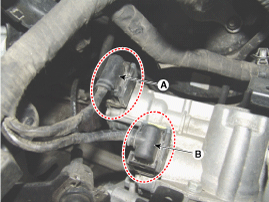
Disconnect the shift actuator connector (A) and select actuator connector
(B), and then remove the wire fixing clip.
|
| 7. |
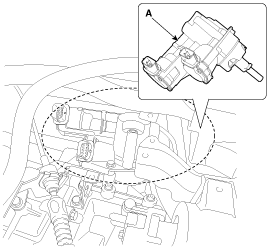
Loosen the mounting bolt, and then remove the gear actuator (A).
|
| Installation |
| 1. |
Install in the reverse order of removal.
|

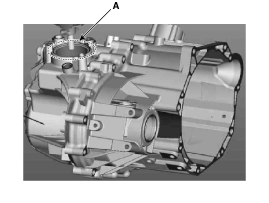
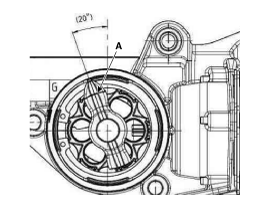
 Gear Actuator Components and components location
Component Location
1. Gear actuator
2. Dual Clutch Transmission (DCT)
...

Other information:
Kia Cee'd JD Service Manual: Components and components location
Components
1. Parking brake lever
2. Parking brake cable
3. Equalizer assembly
...
Kia Cee'd JD Owners Manual: EPB malfunction indicator
This warning light illuminates if the
engine start/stop button is changed to
the ON position and goes off in approximately
3 seconds if the system is operation
normally.
If the EPB malfunction indicator remains
on, comes on while driving, or does not
come on when the ignition switch o ...
© 2017-2026 www.kceed.com
