
Kia Cee'd: Trip computer / Distance to empty (km or mi.)
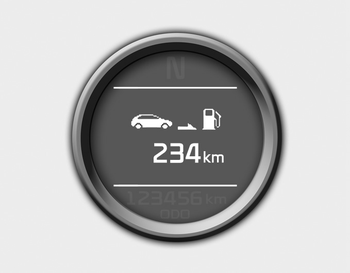
This mode indicates the estimated distance the vehicle can be driven with the remaining fuel. When the remaining distance is below 50 km (30 miles), “---” will be displayed.
The meter’s working range is from 50 to 999 km (30 to 999 miles).
 Tripmeter (km or mi.)
This mode indicates the distance of individual
trips selected since the last tripmeter
reset.
The meter's working range is from 0.0 to
9999.9 km (0.0 to 9999.9 miles).
Pressing the button f ...
 Average fuel economy (L/100 km or MPG)
This mode calculates the average fuel
consumption from the total fuel used and
the distance since the last average fuel
economy reset. The total fuel used is calculated
from the fuel consump ...
Other information:
Kia Cee'd JD Owners Manual: To install the barrier net
1. Open the cover (if equipped) for the
holder position (1) or (2) you want to
install.
2. Compress the one side net upper shaft
to length direction before insert the net
upper shaft into the large hole (3) and
then secure by sliding into the small
hole (4).
3. Hang the net strap ...
Kia Cee'd JD Service Manual: Height Sensor Repair procedures
Removal
1.
Disconnect the negative (-) battery terminal.
2.
Disconnect the head lamp height sensor connector.
3.
Remove the assist arm (A).
4.
Remove the head lamp auto level ...
