
Kia Cee'd: Interior features / Clothes hanger
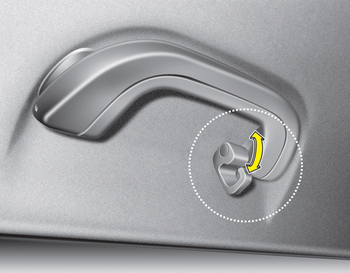
CAUTION
- Do not hang heavy clothes, since those may damage the hook.
- Be careful when opening and closing the doors. Clothes, etc. may get caught between the door gap.
WARNING
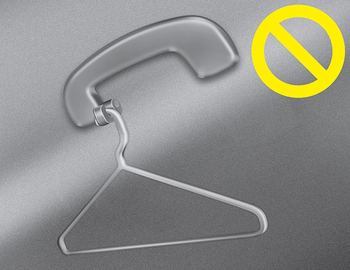
Do not hang other objects such as hangers or hard objects except clothes. Also, do not put heavy, sharp or breakable objects in the clothe pockets. In an accident or when the curtain air bag is inflated, it may cause vehicle damage or personal injury.
 Aux, USB and iPod®
You can use an aux port to connect audio
devices and an USB port to plug in an
USB and also an iPod® port to plug in an
iPod.
✽ NOTICE
When using a portable audio device
connected to th ...
 Floor mat anchor(s)
When using a floor mat on the front floor
carpet, make sure it attaches to the floor
mat anchor(s) in your vehicle. This keeps
the floor mat from sliding forward.
WARNING
The following must ...
Other information:
Kia Cee'd JD Service Manual: Hood Assembly Repair procedures
Replacement
•
Be careful not to damage the hood and body.
•
...
: Load Carrying Precautions
Keep your loaded vehicle weight
within its design rating capability,
with or without a trailer. Properly
loading your vehicle provides
maximum return of vehicle design
performance. Before you load your
vehicle, become familiar with the
following terms for determining
your vehicle’s weight ...
