
Kia Cee'd: LCD display warnings and indicators (instrument panel display) / Calendar / Clock / Outside ambient Temperature
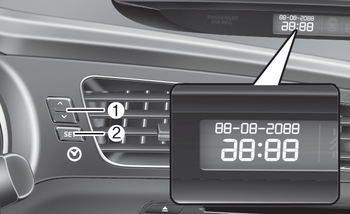
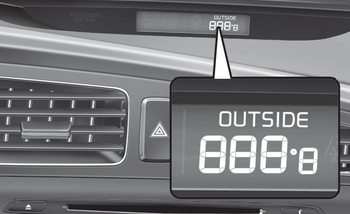
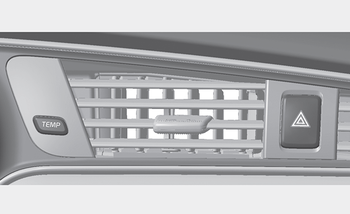
The monitor will display the outside ambient temperature, date and time.
To change the date, time or temperature unit(°C ↔ °F), press the SET(2) or Temp button for more than 1 seconds.
Then you will enter the set-up mode and mode changes in the following order as you press the SET (2) button less than 1 second.
HOUR → MINUTE → YEAR → MONTH → DAY → 12H/24H → TEMPERATURE UNIT CHANGE → Escape set-up mode
Press the SET (2) button less than 1 second to select the mode and set the data using the UP (1, ) and DOWN (1, ) button while the selected setting mode blinks.
To cancel the SET UP mode, do one of the following :
- Press the SET button less than 1 second
in set-up temperature unit change
mode
- Press the SET button more than 1 second
in any set-up mode
- After 15 seconds without any key press
- Ignition is On or OFF in Set-up mode
- Battery is disconnected

 Door and tailgate open display
The monitor will display the corresponding
door or tailgate that is not closed
securely. ...
Other information:
Kia Cee'd JD Service Manual: Muffler Repair procedures
Removal and Installation
[Front muffler]
1.
Disconnect the rear oxygen sensor connector (A).
2.
Remove the front muffler (A).
Tightening torque:
39.2 ~ 58.8 N.m (4.0 ~ 6.0 kgf.m, 28.9 ...
Kia Cee'd JD Service Manual: Schematic diagrams
Schematic Diagram
Canister
Canister is filled with charcoal and absorbs evaporated vapor in fuel tank.
The gathered fuel vapor in canister is drawn into the intake manifold by the
ECM/PCM when appropriate conditions are set.
Purge Control Solenoid Valve (PCSV)
...
