
Kia Cee'd: Manual heating and air conditioning / Air conditioning
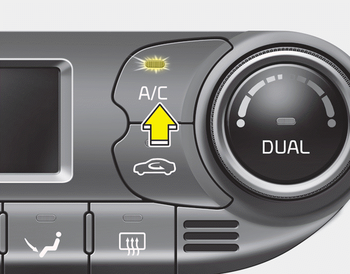
Press the A/C button to turn the air conditioning system on (indicator light will illuminate).
Press the button again to turn the air conditioning system off.
 Fan speed control
The fan speed can be set to the desired
speed by pressing the fan speed control
button.
To change the fan speed, press the upper
button () for higher speed, or press
the lower button () for ...
 OFF mode
Press the OFF button to turn off the air
climate control system. However, you can
still operate the air intake buttons as long
as the ignition switch is in the ON position. ...
Other information:
Kia Cee'd JD Owners Manual: 2. Select parking assist mode
Select the parking assist mode by pressing
the Smart Parking Assist System
button with the shift lever in N (Neutral)
or D(Drive) and the brake pedal
depressed. If the speed of the vehicle
has not exceeded 5km/h with the IGN in
ON, move the shift lever to N(Neutral) to
sele ...
Kia Cee'd JD Service Manual: Drive Belt Tensioner Repair procedures
Removal and Installation
1.
Remove the drive belt.
(Refer to Timing System - "Dreve Belt")
2.
Remove the alternator.
(Refer to Engine Electrical System - "Alternator")
3.
...
