
Kia Cee'd: Voice Recognition / Voice Command List
• Common Commands: These commands can be used in most operations. (However a few commands may not be available during certain operations)
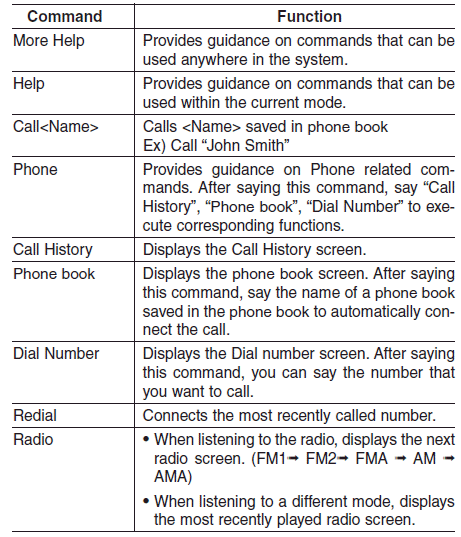
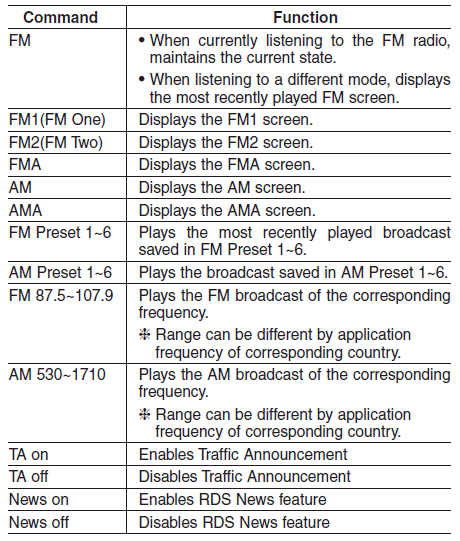
• FM/AM radio Commands: Commands available during FM, AM radio operation.
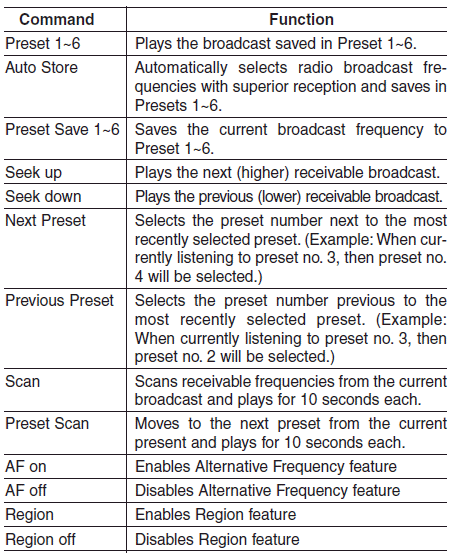
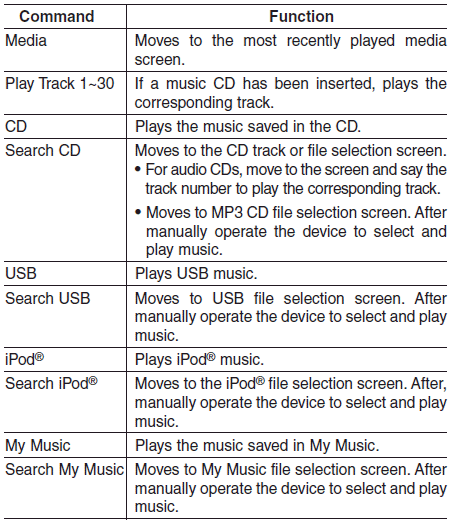
• Audio CD Commands: Commands available during Audio CD operation.
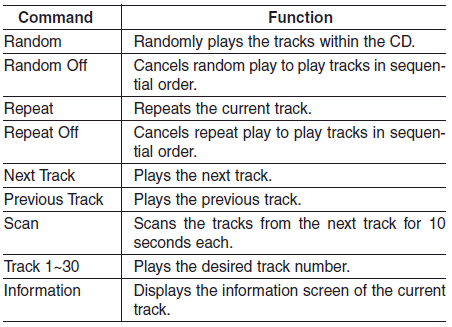
• MP3 CD / USB Commands: Commands available during USB and MP3 CD operation.
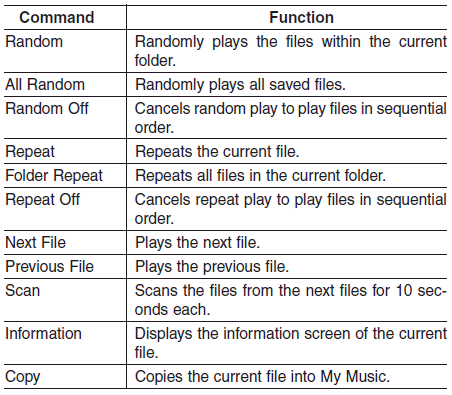
• iPod® Commands: Commands available during iPod® operation.
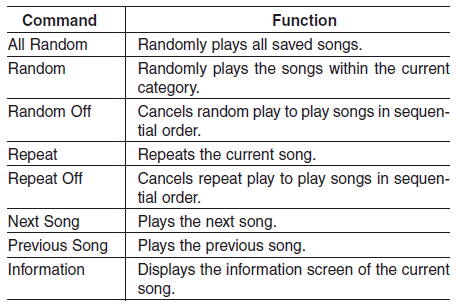
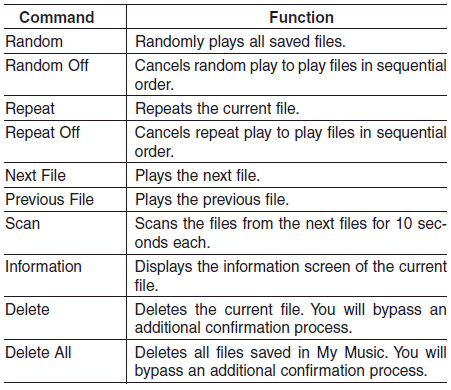
• My Music Commands: Commands available during My Music operation
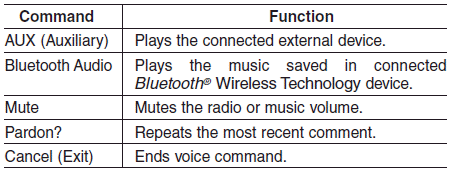
• Bluetooth® Wireless Technology Audio Commands: Commands available during Bluetooth® Wireless Technology audio streaming from mobile phone operation Command Operation.

 Voice Recognition and
Phonebook Tips
Voice Recognition and
Phonebook Tips
The Kia Voice Recognition System
may have difficulty understanding
some accents or uncommon names.
When using Voice Recognition to
place a call, speak in a moderate tone,
with clear pronuncia ...
 Setup
Setup
...
Other information:
: Identifying Fuse Types. Fuses – Troubleshooting
Identifying Fuse Types
Micro 2.
Micro 3.
Maxi.
Mini.
M Case.
J Case.
J Case Low Profile.
Slotted M Case.
Fuses – Troubleshooting
Fuses – Frequently Asked Questions
When do I need to check a fuse?
If electrical components in the vehicle
are not working.
When do I need to replace a fus ...
Kia Cee'd JD Service Manual: Mode Control Actuator Repair procedures
Inspection
1.
Turn the ignition switch OFF.
2.
Disconnect the mode control actuator connector.
3.
Verify that the mode control actuator operates to the defog mode when
connecting 12V to terminal 3 and ...
