
Kia Cee'd: LCD display warnings and indicators (instrument panel display) / TPMS
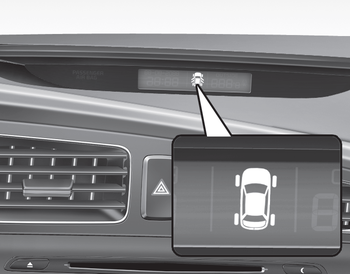
The monitor will display the corresponding tire that is low with pressure.
For details, see Tire Pressure Monitoring System on chapter 6.
 Door and tailgate open display
The monitor will display the corresponding
door or tailgate that is not closed
securely. ...
 Icy road warning light
This warning light is to warn the driver
the road may be icy when:
Ignition ON
Temperature range: approximately below
4°C (39.2°F).
The warning light will blink for 10 seconds
and ...
Other information:
Kia Cee'd JD Service Manual: Catalytic Converter Description and operation
Description
The catalytic converter of the gasoline engine is a three way catalyst. It oxidizes
carbon monoxide and hydrocarbons (HC), and separates oxygen from the oxides
of nitrogen (NOx).
...
: Exterior Mirrors
Adjusting the Exterior Mirrors
WARNING: Do not adjust the
mirrors when your vehicle is moving. This
could result in the loss of control of your
vehicle, serious personal injury or death.
Left-hand mirror.
Right-hand mirror.
To adjust your mirrors, switch your vehicle
on, with the ignition ...
