
Kia Cee'd: Back View Camera System / Schematic diagrams
| Circuit Diagram |
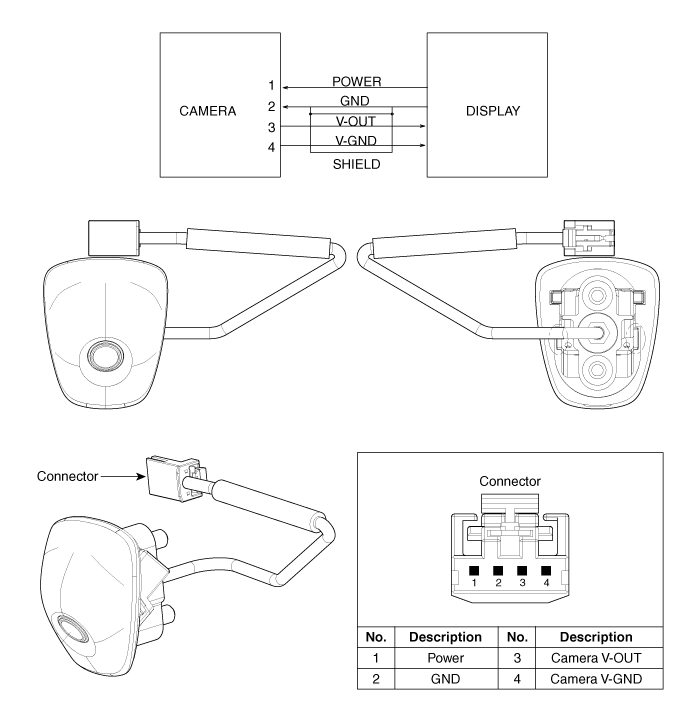
 Components and components location
Component Location
1. Back view camera
2. Inside mirror with rear camera display
3. A/V or Audio head unit monitor
...
 Description and operation
Description
To provide the driver the rear of the vehicle, the backview camera receives
the vehicle rearview image signal and displays the image on the AV head unit
monitor or on ...
Other information:
: Lane Keeping System Indicators
If you switch the lane keeping system on,
a graphic with lane markings appears in
the information display.
When you switch the system off, the lane
marking graphics do not display.
Note: The overhead vehicle graphic may
still display if adaptive cruise control is
enabled.
While the lane keepin ...
Kia Cee'd JD Service Manual: Rear Bumper beam Assembly Components and components location
Component Location
1. Rear bumper beam assembly
...
© 2017-2026 www.kceed.com
