
Kia Cee'd: Body Control Module (BCM) / Repair procedures
Kia Cee'd JD Service Manual / Body Electrical System / Body Control Module (BCM) / Repair procedures
| Removal |
| 1. |
Disconnect the negative (-) battery terminal.
|
| 2. |
Remove the crash pad lower panel.
(Refer to Body - "Crash Pad Lower Panel")
|
| 3. |
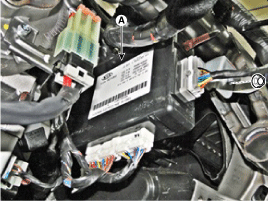
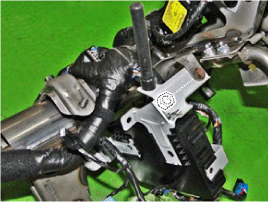
Remove the BCM unit (A) after loosening nuts.
|
| Installation |
| 1. |
Install the BCM unit.
|
| 2. |
Install the crash pad lower panel.
|
| 3. |
Connect the negative (-) battery terminal.
|
| BCM Diagnosis With GDS |
| 1. |
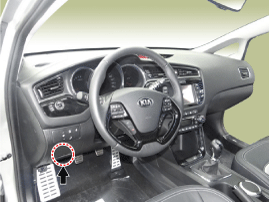
The body control module can diagnose by using the GDS more quickly.
The BCM communicates with the GDS and then reads the input/output value
and drives the actuator.
|
| 2. |
To diagnose the BCM function, select the menu of model and body control
module.
|
| 3. |
Select "Input/output monitoring", if you will check current data of
body network system. It provides input/output status of each module.
|
| 4. |
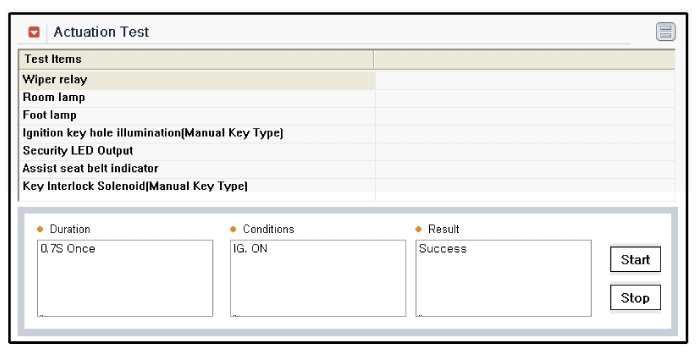
If you will check each module data operation forcefully, select "Actuation
test".
|
| 5. |
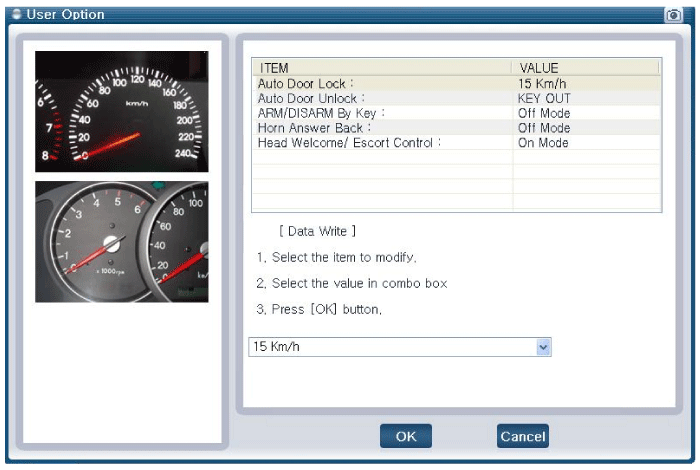
If you want to change user option, select “user option”.
|

 Description and operation
Description
CAN Communication Netrwork
Function
Function
Description
Front Washer & Wiper
– ...

Other information:
Kia Cee'd JD Service Manual: Components and components location
Components
1. Slide motor
2. Front height motor
3. Rear height motor
4. Power seat cotrol switch
5. Recline motor
6. Recline control switch
7. Lumbar support motor
8. Lumbar support switch
...
Kia Cee'd JD Owners Manual: Type of warning indicator and sound
✽ NOTICE
The actual warning sound and indicator may differ from the
illustration according
to objects or sensor status.
Do not wash the vehicle's sensor with high pressure water.
When driving rearward(at “R’ shift), Side sensor operates and if
detecting some
object at the ...
© 2017-2026 www.kceed.com
