
Kia Cee'd: Features of your vehicle / Hazard warning flasher
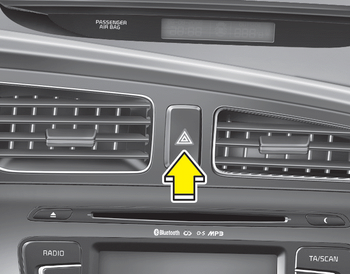
The hazard warning flasher should be used whenever you find it necessary to stop the vehicle in a hazardous location. When you must make such an emergency stop, always pull off the road as far as possible.
The hazard warning lights are turned on by pushing in the hazard switch. Both turn signal lights will blink. The hazard warning lights will operate even though the key is not in the ignition switch. To turn the hazard warning lights off, push the switch again.
 Rearview camera
The rearview camera will activate when
the back-up light is ON with the ignition
switch ON and the shift lever in the R
(Reverse) position.
This system is a supplemental system
that shows ...
 Lighting
...
Other information:
Kia Cee'd JD Service Manual: Components and components location
Components
1. Slide motor
2. Front height motor
3. Rear height motor
4. Power seat cotrol switch
5. Recline motor
6. Recline control switch
7. Lumbar support motor
8. Lumbar support switch
...
Kia Cee'd JD Service Manual: ESCL(Electronic Steering Column Lock) Repair procedures
Removal
1.
Disconnect the negative (-) battery terminal.
2.
Remoove the driver crash pad lower panel.
(Refer to Body - "Crash Pad Lower Panel")
3.
Remove the steering column shroud upper ...
