
Kia Cee'd: Rear Axle Assembly / Rear Hub - Carrier / Components and components location
Kia Cee'd JD Service Manual / Driveshaft and axle / Rear Axle Assembly / Rear Hub - Carrier / Components and components location
| Components |
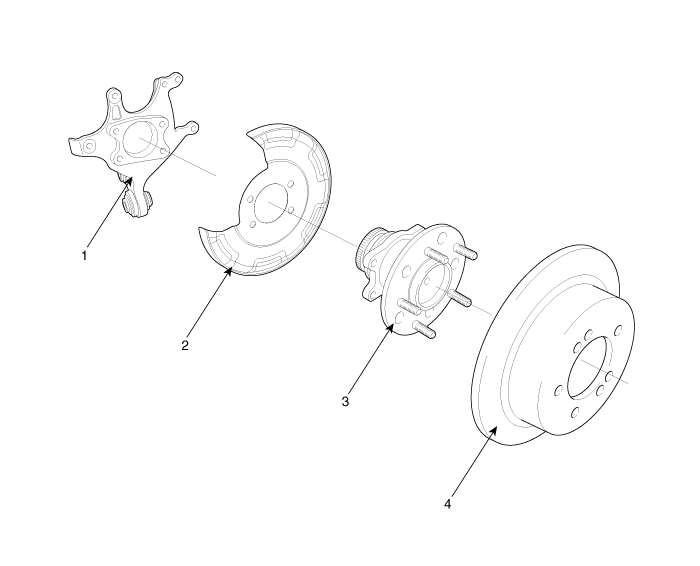
| 1. Carrier assembly 2. Rear brake assembly |
3. Hub & bearing assembly 4. Rear brake disc |

 Repair procedures
Replacement
1.
Loosen the wheel nuts slightly.
Raise the vehicle, and make sure it is securely supported.
2.
Remove the rear w ...
Other information:
Kia Cee'd JD Service Manual: Components and components location
Components
1. Windshield side molding
2. Windshield glass
...
Kia Cee'd JD Service Manual: Antenna Repair procedures
Removal
1.
Remove the rear roof trim.
(Refer to Body - "Roof Trim Assembly")
2.
Disconnect the roof antenna connectors (A).
3.
Remove the roof antenna (B) after loosening a nut ( ...
© 2017-2026 www.kceed.com
