
Kia Cee'd: How the system works (Exit mode) / 5. Exiting Complete
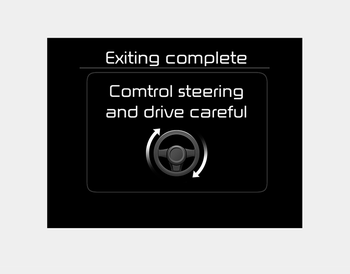
When assisting the driver exit the parking space is completed the above message will appear.
Turn the steering wheel to the direction you are leaving and manually control the steering wheel while leaving the parking space.
CAUTION
- When leaving the parking space turn the steering wheel as much as you can to the direction you are leaving, and then drive the vehicle slowly by depressing the vehicle.
- Always check the surrounding before driving your vehicle if the Parking Assist System warning sound is continuously heard.
- The system will be cancelled for safety reasons if the vehicle is parked at a small space near a wall.
 4. Steering wheel control
The above message will appear if the
shift lever is in D (Drive) or R (Reverse)
according to the distance of the front
and rear object from the sensor.
The steering wheel will be ...
 Additional instructions(messages)
When the Smart Parking Assist System
is operating, a message may appear
regardless of the parking order.
The messages will appear according to
the circumstances. Follow the instructions
...
Other information:
Kia Cee'd JD Owners Manual: Clothes hanger
CAUTION
Do not hang heavy clothes, since
those may damage the hook.
Be careful when opening and closing
the doors. Clothes, etc. may
get caught between the door gap.
WARNING
Do not hang other objects such as
hangers or hard objects except
clothes. Also, do not put heavy,
...
Kia Cee'd JD Service Manual: Auto Light Sensor Repair procedures
Inspection
In the state of IGN1 ON, when multifunction switch module detects auto light
switch on, tail lamp relay output and head lamp low relay output are controlled
according to auto light sensor's input.
The auto light control doesn't work if the pin sunlight s ...
