
Kia Cee'd: LCD display information / Turn on "FUSE SWITCH" (mode switch)
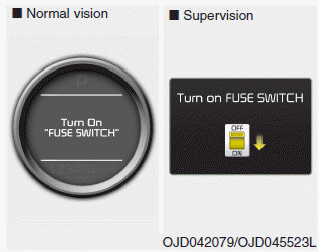
The notice appears to inform the driver to turn on the fuse switch in the instrument panel under the steering wheel.
For more details, refer to “Fuses” in chapter 7.
 Illumination intensity
The illumination intensity of the instrument
panel is shown when adjusting it
with the illumination control switch.
For more details, refer to “Instrument
panel illumination” in chapter 4 ...
 Parking assist warning
Displays the area an obstacle is detected
while moving forward or rearward.
For more details, refer to “Parking assist
system” in chapter 4. ...
Other information:
: Engine Oil Capacity and Specification - 2.0L EcoBoost™
Use oil that meets the defined
specification and viscosity grade.
If you do not use oil that meets the defined
specification and viscosity grade, it could
result in:
Component damage that your vehicle
warranty does not cover.
Longer engine cranking periods.
Increased emission levels.
Reduc ...
Kia Cee'd JD Service Manual: ETC (Electronic Throttle Control) System Specifications
Specification
[Throttle Position Sensor (TPS)]
Throttle angle(°)
Output Voltage (V) [Vref=5V]
TPS1
TPS2
0
0.5
4.5
10
0.96
4.05
...
