
Kia Cee'd: Trip computer / Tripmeter (km or mi.)
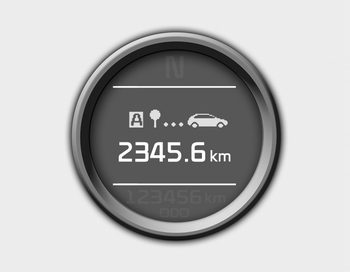
This mode indicates the distance of individual trips selected since the last tripmeter reset.
The meter's working range is from 0.0 to 9999.9 km (0.0 to 9999.9 miles).
Pressing the  button for more
than 1
second, clears the tripmeter to zero (0.0).
button for more
than 1
second, clears the tripmeter to zero (0.0).
 Trip computer
The trip computer is a microcomputercontrolled
driver information system that
displays information related to driving
when the ignition switch is in the ON
position. All stored driving infor ...
 Distance to empty (km or mi.)
This mode indicates the estimated distance
the vehicle can be driven with the
remaining fuel. When the remaining distance
is below 50 km (30 miles), “---” will
be displayed.
The meter†...
Other information:
Kia Cee'd JD Service Manual: Catalytic Converter Description and operation
Description
The catalytic converter of the gasoline engine is a three way catalyst. It oxidizes
carbon monoxide and hydrocarbons (HC), and separates oxygen from the oxides
of nitrogen (NOx).
...
Kia Cee'd JD Service Manual: Description and operation
Function Of Safety Power
Window
When driver door power window auto-up switch is operated, safety function is
activated.
1.
Safety function condition
When detect the force of 100N (using the 10N/mm spring) during the window
rising, window is ...
