
Kia Cee'd: Instrument cluster (Super vision) / Trip computer
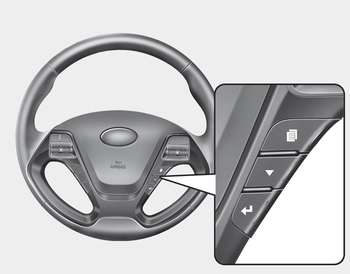
The trip computer is a microcomputercontrolled driver information system that displays information related to driving when the ignition switch is in the ON position.
Press the  button for less than
1 second
to select any group as follows :
button for less than
1 second
to select any group as follows :
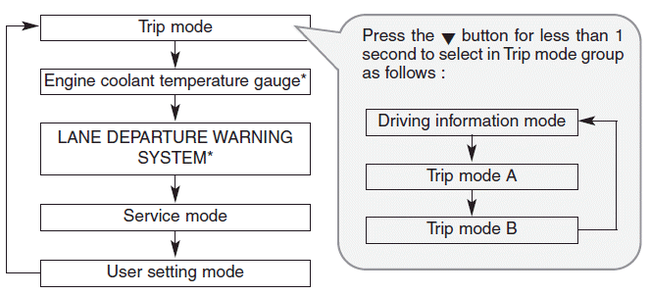
- Driving information mode
- Trip mode (A, B)
- Lane Departure Warning System (LDWS) Mode
- Service mode
- User Settings
 Odometer (km or mi.)
■ Type A
■ Type B
The odometer indicates the total distance
the vehicle has been driven.
You will also find the odometer useful to
determine when periodic maintenance
should be perfor ...
 Driving information mode
This mode indicates 3 kinds of driving
Information.
All stored driving information (except
odometer, distance to empty and instant
fuel economy) resets if the battery is disconnected.
1. Dis ...
Other information:
: Inspecting the Wheel Valve Stems. Tire Rotation
Inspecting the Wheel Valve Stems
Check the valve stems for holes,
cracks, or cuts that could permit
air leakage.
Tire Rotation
WARNING: If the tire label
shows different tire pressures for
the front and rear tires and the
vehicle has a tire pressure
monitoring system, then you
need to update ...
Kia Cee'd JD Service Manual: Components and components location
Components
1. Carrier assembly
2. Rear brake assembly
3. Hub & bearing assembly
4. Rear brake disc
...
