
Kia Cee'd: Instrument cluster (Normal vision) / Odometer (km or mi.)
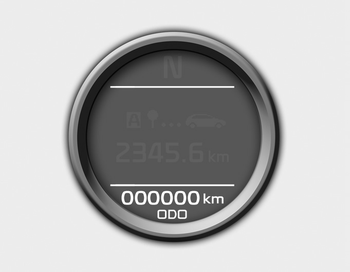
The odometer indicates the total distance the vehicle has been driven.
You will also find the odometer useful to determine when periodic maintenance should be performed.
 Speed limiter indicator
The indicator illuminates when the speed
limit control system is enabled by move
the lever up on the steering wheel.
The indicator goes off when the
lever
up again to deactivate the syste ...
 Trip computer
The trip computer is a microcomputercontrolled
driver information system that
displays information related to driving
when the ignition switch is in the ON
position. All stored driving infor ...
Other information:
Kia Cee'd JD Service Manual: Cooling Fan Repair procedures
Removal and Installation
1.
Disconnect the battery negative terminal.
2.
Remove the air cleaner assembly.
(Refer to Intake and exhaust system - "Air Cleaner")
3.
Remove the battery tray. ...
Kia Cee'd JD Owners Manual: SRS Care
The SRS is virtually maintenance-free
and so there are no parts you can safely
service by yourself. If the SRS air bag
warning light does not illuminate, or continuously
remains on, we recommend
that the system be inspected by an
authorized Kia dealer.
WARNING
Modification to SRS co ...
