
Kia Cee'd: Smart Parking Assist System (SPAS) / Non-operating condition
Never use the Smart Parking Assist System in the below conditions.
- Curved parking space
- Inclined roads
- A vehicle loaded with longer or wider cargo compared to the vehicle
- Diagonal parking space
- Parking space with trash, grass or barriers
- Heavy snow or rain
- A pole close to the parking line
- Bumpy roads
- A vehicle equipped with a snow chain or spare tire
- Tire pressure lower or higher than the standard tire pressure
- A trailer connected to the vehicle
- Slippery or uneven road
- Big vehicles such as buses or trucks parked
- Sensor covered with foreign matter, such as snow or water
- Moisture frozen on the sensor.
- A motorcycle or bicycle parked
- A trash can or obstacle near
- Heavy wind
- Wheel changed to an unauthorized size
- A problem with the wheel alignment
- Next to a garden or bush
- A accessory installed on the detective area the of sensors (such as number plate holder)
- Vehicle leaned severely to one side
- Strong sunlight or very cold weather
- Ultrasonic interference other vehicle's. Such as horn sounds of other vehicles, motorcycle's engine noise, air brake noise of heavy vehicles and with the other vehicle's parking assist system working.
- Near a circular pillar or narrow pillar, or a pillar surrounded by object such as fire extinguisher, etc.
- The sensor is positioned incorrectly by an impact to the bumper
WARNING
Do not use the Smart Parking Assist System in the following conditions for unexpected results may occur and cause a serious accident.
1. Parking on inclines
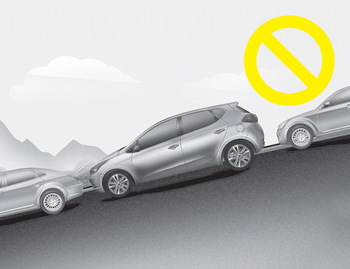
The driver must apply the accelerator and brake pedal when parking on inclines. If the driver is unfamiliar with applying the accelerator and brake pedal, a car accident may occur.
2. Parking in snow
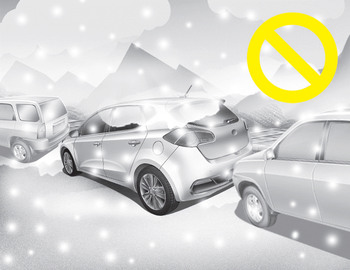
Snow may interfere with sensor operation or the system may cancel if the road is slippery while parking. Also, if the driver is unfamiliar with applying the accelerator and brake pedal, a car accident may occur.
3. Parking in narrow space
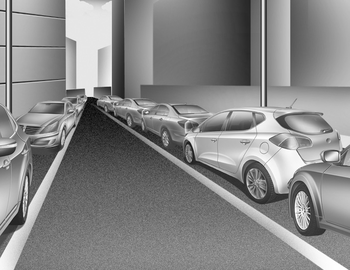
The system may not search for parking spaces if the space is too narrow. Even if it operates always be careful.
4. Parking diagonal
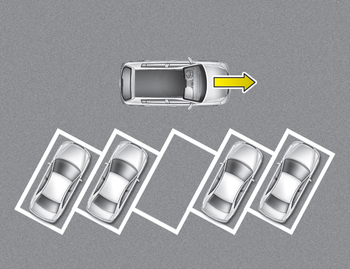
The system is a supplemental for parallel parking. Diagonal line parking is not available. Even if the vehicle is able to enter the space, do not operate the Smart Parking Assist System. The system will attempt parallel parking.
5. Parking in uneven road
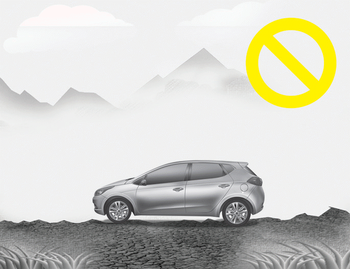
Parking in uneven roads, the driver needs to properly apply the pedal (clutch, accelerator or brake). If not, the system may cancel when the vehicle slips or an accident may occur.
6. Parking behind a truck
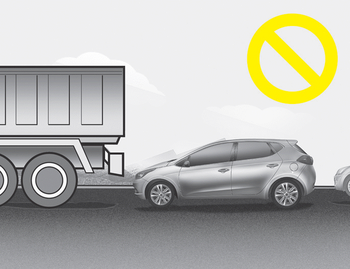
An accident may occur when parking behind a vehicle higher than yours. For example, bus, truck, etc.
7. Obstacle in parking space
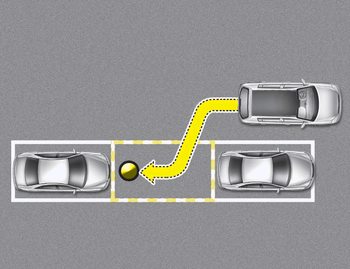
The system may search for a parking space even though an obstacle is in the parking space. An accident may occur if you continue to park the vehicle with the system.
Do not solely rely on the Smart Parking Assist System.
8. Leaving a parking space near a wall
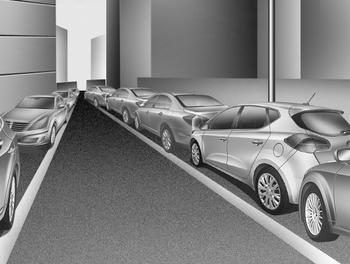
When leaving a parking space that is narrow and near a wall, the system may not work properly. When leaving a parking space similar to the above picture, the driver must watch out for obstacles while leaving.
 Operating condition
The system will help park the vehicle in
the middle or back of a parked vehicle.
Use the system when all the below conditions
are met.
When the parking space is a straight
line
When p ...
 How the system works
(Parking mode)
How the system works
(Parking mode)
1.Activate the Smart Parking Assist
System
The shift lever should be placed in D
(Drive) or N(Neutral).
2.Select parking assist mode
3.Search for parking space (slowly move
forward.)
4.Searc ...
Other information:
Kia Cee'd JD Owners Manual: Road warning
Hazard warning flasher
The hazard warning flasher serves as a
warning to other drivers to exercise
extreme caution when approaching,
overtaking, or passing your vehicle.
It should be used whenever emergency
repairs are being made or when the vehicle
is stopped near the edge of a roadw ...
Kia Cee'd JD Service Manual: Repair procedures
Removal
•
Put on gloves to protect your hands.
•
Use seat ...
