
Kia Cee'd: Manual heating and air conditioning / Mode selection
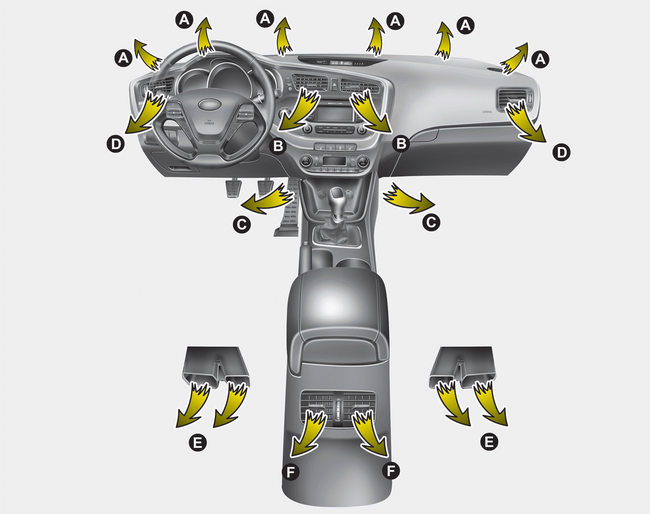
The mode selection button controls the direction of the airflow in the vehicle. If you push the button once, the corresponding switch will turn on, and if you push the button again, the switch will turn off.
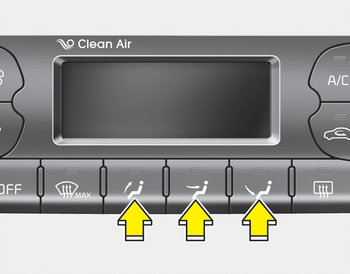
Face-Level (B, D, F*)

Air flow is directed toward the upper body and face. Additionally, each outlet can be controlled to direct the air discharged from the outlet.
Floor-Level (A, C, D, E)

Most of the air flow is directed to the floor.
Defrost-Level (A, D)

Most of the air flow is directed to the windshield.
Also you may select 2~3 modes at the same time.
- face ( ) + floor (
 )
mode
)
mode
- face () + defrost ( )
mode
)
mode
- floor () + defrost ()
mode
- face () + floor ()
+ defrost ()
mode
Maximum (MAX) defrost mode
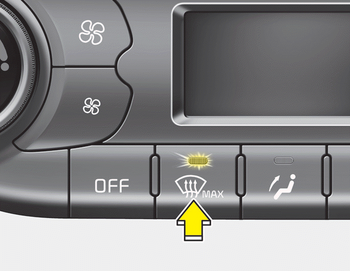
When you select the MAX defrost mode, the following system will set automatically:
- The air conditioning system will be turn on.
- The outside(fresh) air position will be selected.
- The fan speed will set to the high speed.
To turn the MAX defrost mode off, press the mode button or MAX defrost button again or AUTO button.
Instrument panel vents
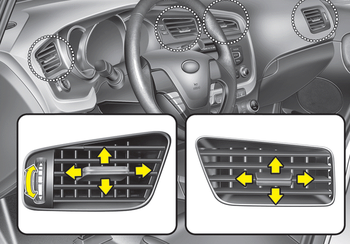
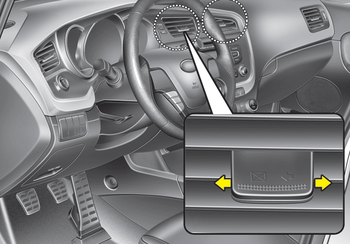
The outlet vents can be opened or closed separately using the thumbwheel or vent control lever.
Also, you can adjust the direction of air delivery from these vents using the vent control lever as shown.
 Manual heating and air conditioning
The heating and cooling system can be
controlled manually by pressing buttons
or turning knob(s) other than the AUTO
button. In this case, the system works
sequentially according to the order ...
 Temperature control
The temperature will increase to the
maximum (HI) by turning the knob to the
right extremely.
The temperature will decrease to the
minimum (Lo) by turning the knob to the
left extremely.
W ...
Other information:
Kia Cee'd JD Service Manual: Special service tools
Special Service Tools
Tool (Number and Name)
Illustration
Application
RKE Battery Checker
(09954-2P100)
Measuring the RKE battery
voltage
Correction jig for LDWS or LKAS ...
: Grade Assist - Hybrid Electric Vehicle (HEV)
What Is Grade Assist
Provides additional grade braking with a
combination of engine motoring and
high-voltage battery charging to help
maintain vehicle speed when descending
a grade.
Switching Grade Assist On and Off
Press the grade assist button to activate
grade assist. The grade assist lamp ...
