
Kia Cee'd: Trip computer / Lane Departure Warning System (LDWS) Mode
Kia Cee'd JD Owners Manual / Features of your vehicle / Instrument cluster (Super vision) / Trip computer / Lane Departure Warning System
(LDWS) Mode
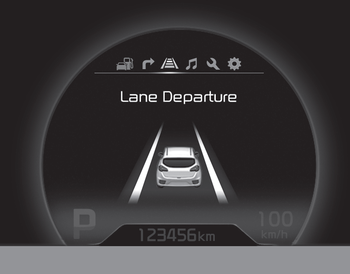
This mode displays the state of the Lane Departure Warning System (LDWS).
For more details, refer to “Lane departure warning system” in chapter 5.
 Trip mode (A, B)
This mode indicates 3 kinds of driving
Information.
All stored driving information (except
odometer, distance to empty and instant
fuel economy) resets if the battery is disconnected.
1. Tri ...
 Service mode
This mode calculates when you need a
scheduled maintenance service (mileage
or days)
If you want to see the service mode when
other modes are displayed, press the
button less than 1 second ...
Other information:
Kia Cee'd JD Service Manual: Hood Latch Release Handle Components and components location
Component Location
1. Hood latch release handle
...
Kia Cee'd JD Service Manual: Front Seat Shield Outer Cover Components and components location
Component Location
1. Front seat shield outer cover
...
© 2017-2026 www.kceed.com
