
Kia Cee'd: Trip computer / Instant fuel economy (L/100 km or MPG)
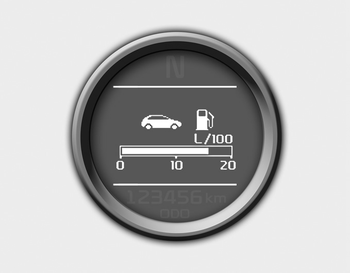
This mode calculates the instant fuel consumption during the last few seconds.
✽ NOTICE
- If the vehicle is not on level ground or the battery power has been interrupted, the “Distance to empty” function may not operate correctly. The trip computer may not register additional fuel if less than 6 liters (1.6 gallons) of fuel are added to the vehicle.
- The fuel economy and distance to empty may vary significantly based on driving conditions, driving habits, and condition of the vehicle.
- The distance to empty is an estimate of the available driving distance. This value may differ from the actual driving distance.
 Average fuel economy (L/100 km or MPG)
This mode calculates the average fuel
consumption from the total fuel used and
the distance since the last average fuel
economy reset. The total fuel used is calculated
from the fuel consump ...
 Average speed (km/h or MPH)
This mode calculates the average speed
of the vehicle since the last average
speed reset.
Even if the vehicle is not in motion, the
average speed keeps going while the
engine is running.
P ...
Other information:
: Charge Time Settings
Follow these steps to set a preferred
charge time for a charging location.
Select Charge Preferences on the
Charge Settings screen.
Select Charge Time Setup on the Edit
Charge Preferences screen.
Select Add New Location on the
Charge Times screen. You can also edit
settings for previous ...
: Locating the USB Ports
Data Transfer USB Ports
The USB Ports could be in the
following
locations:
On the lower instrument panel.
Inside the media bin.
Inside the center console.
Note: These USB ports can also charge
devices.
Note: Not all USB ports in your vehicle have
data transfer capabilities.
Note: We recomm ...
