
Kia Cee'd: Front Door / Front Door Latch Repair procedures
Kia Cee'd JD Service Manual / Body (Interior and Exterior) / Front Door / Front Door Latch Repair procedures
| Replacement |
| 1. |
Remove the front door module.
(Refer to Front Door - "Front Door Module")
|
| 2. |
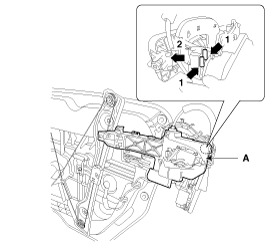
Remove the front door outside handle base (A) by pushing in the lock
pins located in the back.
|
| 3. |
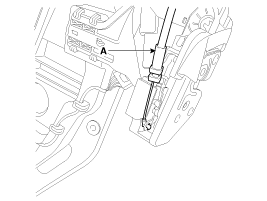
Disconnect the front door outside handle cable (A).
|
| 4. |
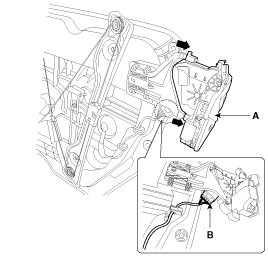
Disconnect the front door latch connector (B).
|
| 5. |
Remove the front door latch assembly (A) by pulling it.
|
| 6. |
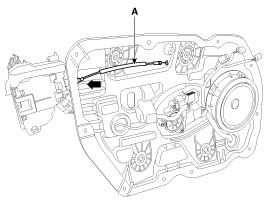
Remove the front door inside handle cable (A) by pulling it.
|
| 7. |
Install in the reverse order of removal.
|

 Front Door Latch Components and components location
Component Location
1. Front door latch
...
 Front Door Belt Inside Weatherstrip Repair procedures
Replacement
1.
Remove the front door trim.
(Refer to Front Door - "Front Door Trim")
2.
Remove the front door belt in ...
Other information:
Kia Cee'd JD Service Manual: Troubleshooting
Troubleshooting
•
The battery must be in good condition and fully charged for
this troubleshooting.
...
Kia Cee'd JD Service Manual: Manifold Absolute Pressure Sensor (MAPS) Repair procedures
Inspection
1.
Connect the GDS on the Data Link Connector (DLC).
2.
Measure the output voltage of the MAPS at idle and IG ON.
Specification: Refer to "Specification"
...
© 2017-2026 www.kceed.com
