
Kia Cee'd: Crash Pad / Crash Pad Side Cover Components and components location
Kia Cee'd JD Service Manual / Body (Interior and Exterior) / Crash Pad / Crash Pad Side Cover Components and components location
| Component Location |
| [LH] |
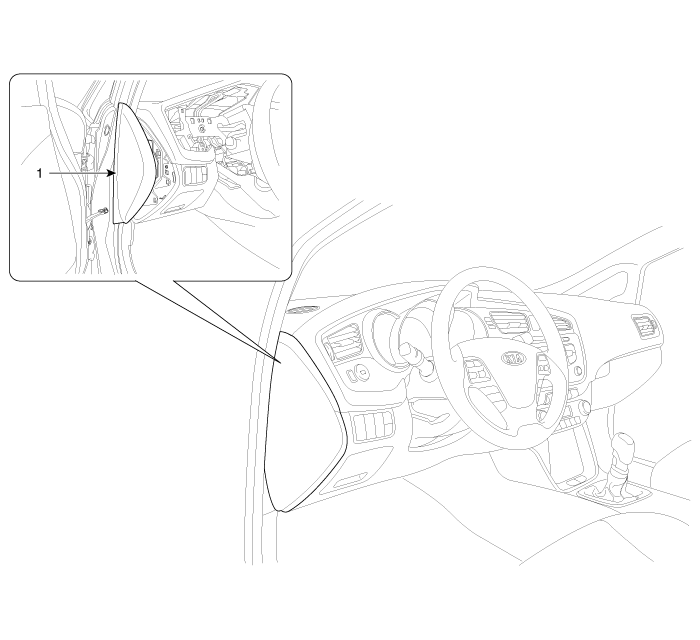
| 1. Crash pad side cover [LH]
|
| [RH] |
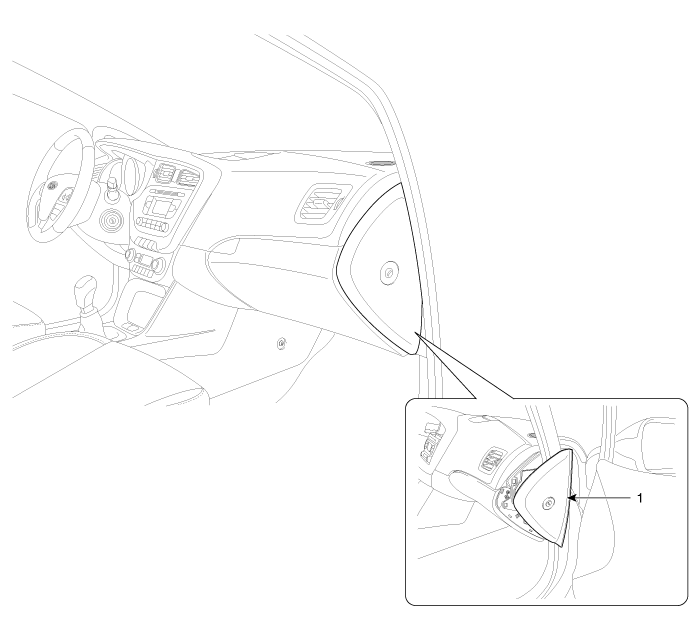
| 1. Crash pad side cover [RH]
|
 Steering Column Shroud Panel Repair procedures
Replacement
•
When prying with a flat-tip screwdriver, wrap it with protective
...
 Crash Pad Side Cover Repair procedures
Replacement
[LH]
•
When prying with a flat-tip screwdriver, wrap it with protecti ...
Other information:
Kia Cee'd JD Owners Manual: Dual clutch transmission
(DS mode) shift indicator
The indicator displays which Dual clutch
transmission shift lever is selected.
In DS mode, the “SPORTS” indicator displays
in cluster. For more detailed information
about DS mode, refer to the chapter
5.
CAUTION - DCT
When the problem of gear system
occurs, the transaxle indic ...
Kia Cee'd JD Service Manual: Instrument Cluster Schematic diagrams
Circuit Diagram
[Standard]
[Supervision]
...
© 2017-2026 www.kceed.com
