
Kia Cee'd: Back View Camera System / Components and components location
Kia Cee'd JD Service Manual / Body Electrical System / Back View Camera System / Components and components location
| Component Location |
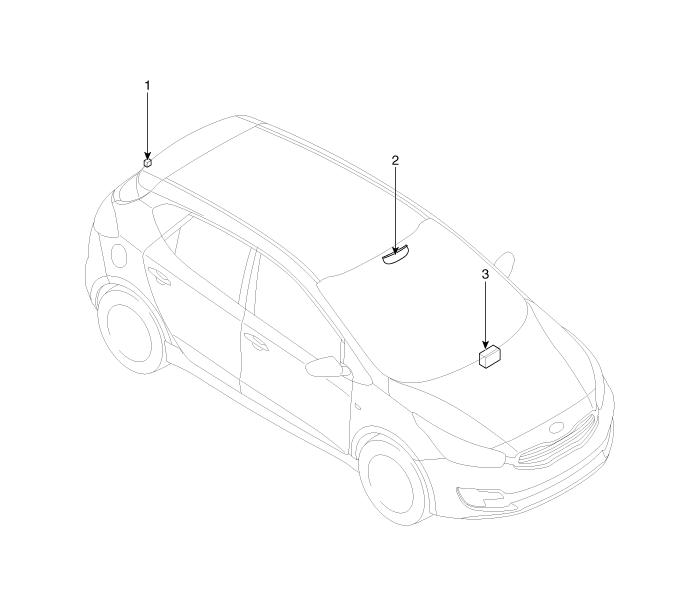
| 1. Back view camera 2. Inside mirror with rear camera display |
3. A/V or Audio head unit monitor
|

 Schematic diagrams
Circuit Diagram
...
Other information:
Kia Cee'd JD Service Manual: Components and components location
Components
1. Blind Spot Detection (BSD)
Unit
2. BSD switch
3. BSD warning lamp
4. Cluster
...
Kia Cee'd JD Owners Manual: Releasing the parking brake
To release the EPB (electric parking
brake), press the EPB switch in the following
condition:
Have the ignition switch or engine
start/stop button in the ON position.
Depress the brake pedal.
Make sure the brake warning light goes
off.
To release EPB (electric parking brake)
a ...
© 2017-2026 www.kceed.com
