
Kia Cee'd: Interior features / Clothes hanger
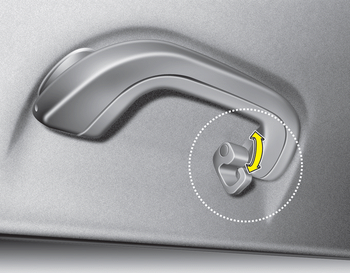
CAUTION
- Do not hang heavy clothes, since those may damage the hook.
- Be careful when opening and closing the doors. Clothes, etc. may get caught between the door gap.
WARNING
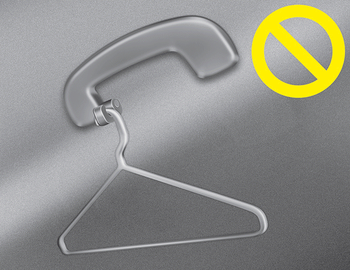
Do not hang other objects such as hangers or hard objects except clothes. Also, do not put heavy, sharp or breakable objects in the clothe pockets. In an accident or when the curtain air bag is inflated, it may cause vehicle damage or personal injury.
 Aux, USB and iPod®
You can use an aux port to connect audio
devices and an USB port to plug in an
USB and also an iPod® port to plug in an
iPod.
✽ NOTICE
When using a portable audio device
connected to th ...
 Floor mat anchor(s)
When using a floor mat on the front floor
carpet, make sure it attaches to the floor
mat anchor(s) in your vehicle. This keeps
the floor mat from sliding forward.
WARNING
The following must ...
Other information:
: Under Hood Overview - 2.5L, Hybrid Electric Vehicle (HEV)/Plug-In Hybrid
Electric Vehicle (PHEV)
Windshield washer fluid reservoir: See Adding Washer Fluid.
Low temp coolant cap: See Checking the Coolant.
High temp coolant cap: See Checking the Coolant.
Engine oil filler cap: See Adding Engine Oil.
Engine oil dipstick: See Engine Oil Dipstick Overview.
Brake fluid reservoir: See Checkin ...
: Setting a Destination
Destination Entry Menu
Setting a Destination Using the Text Entry Screen
Text entry field.
Automatic suggestions based on
the text you enter.
Information icon.
Search.
Keyboard settings.
Note: Select one of the suggestions to
copy the detail to the text entry field.
You can search by ent ...
