
Kia Cee'd: Audio System / AUX, USB and iPod® port
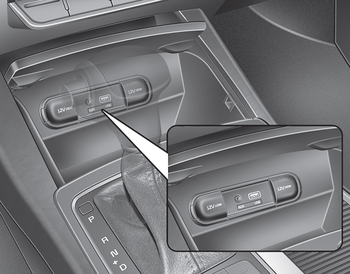
You can use an aux port to connect audio devices and an USB port to plug in an USB and also an iPod® port to plug in an iPod®.
✽ NOTICE
When using a portable audio device connected to the power outlet, noise may occur during playback. If this happens, use the power source of the portable audio device.
 Steering wheel audio controls
The steering wheel may incorporate
audio control buttons.
CAUTION
Do not operate audio remote
control buttons simultaneously.
VOLUME (+/-) (1)
Press the lever upward (+) to
increase th ...

Other information:
Kia Cee'd JD Owners Manual: Securing a child restraint seat with
“Tether Anchor” system
■ 3 Door and 5 Door
■ Wagon
Child restraint hook holders are located
on the transverse trim behind the rear
seats (3 Door and 5 Door) or the floor
behind the rear seats (Wagon).
This symbol indicates the
position of the tether anchor.
1. Route the child restraint seat strap
...
: Engine Block Heater
(If Equipped)
Engine Block Heater Precautions
WARNING: Failure to follow engine
block heater instructions could result in
property damage or serious personal
injury.
WARNING: Do not use your heater
with ungrounded electrical systems or
two-pronged adapters. There is a risk of
electrical shock. ...
