
Kia Cee'd: Instrument cluster (Normal vision) / Automatic transaxle shift position indicator
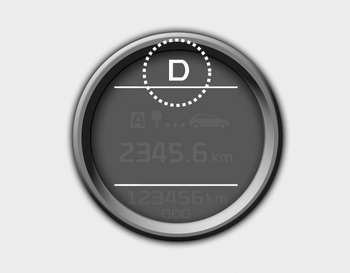
The indicator displays which automatic transaxle shift lever is selected.
 Manual transaxle shift indicator
This indicator informs you which gear is
desired while driving to save fuel.
For example
: Indicates that shifting up to
the 3rd
gear is desired (currently the shift
lever is in the 2nd or ...
 Automatic Transaxle Shift Indicator in
sports mode
Automatic Transaxle Shift Indicator in
sports mode
In the Sports Mode, this indicator informs
which gear is desired while driving to
save fuel.
For example
: Indicates that shifting up to
the 3rd
gear is desired (currently the shift
leve ...
Other information:
Kia Cee'd JD Owners Manual: Turn signals and lane change signals
The ignition switch must be on for the
turn signals to function. To turn on the
turn signals, move the lever up or down
(A). Green arrow indicators on the instrument
panel indicate which turn signal is
operating.
They will self-cancel after a turn is completed.
If the indicator contin ...
: Using the Touchscreen
Status bar.
Home screen.
Clock.
Outside air temperature.
Feature bar.
Status Bar
Cell phone microphone muted.
Audio system muted.
Software update installed.
Wi-Fi connected.
Cell phone roaming.
Text message received.
Automatic crash notification
system off.
Cell phone network signal ...
