
Kia Cee'd: Rear seat / Armrest
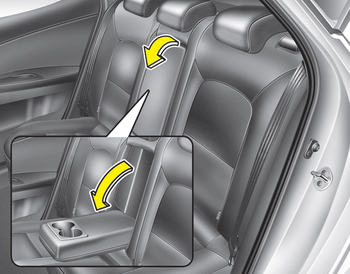
To use the armrest, pull it forward from the seatback.
 Headrest
The rear seat is equipped with headrests
in all the seating positions for the occupant's
safety and comfort.
The headrest not only provides comfort
for passengers, but also helps protect the ...
 Folding the rear seat
The rear seatbacks (or cushions) may be
folded to facilitate carrying long items or
to increase the luggage capacity of the
vehicle.
WARNING
The purpose of the fold-down rear
seatbacks (or c ...
Other information:
: Cooling System Capacity and Specification - 2.5L, Hybrid Electric Vehicle (HEV)/Plug-In
Hybrid Electric Vehicle (PHEV)
Use coolant that meets the defined
specification.
If you do not use coolant that meets the
defined specification, it could result in:
Component damage that your vehicle
warranty does not cover.
Reduced vehicle performance.
Capacities
Materials
...
Kia Cee'd JD Service Manual: Cluster Ionizer Description and operation
Description
The cluster ionizer makes disinfection and decomposition of bad smell from the
air-conditioner or inflow air. And it cleans the inside air of a vehicle.
When running an air-conditioner or heater, it starts with "CLEAN" mode and repeats
from "CLE ...
