
Kia Cee'd: Manual heating and air conditioning / Air conditioning
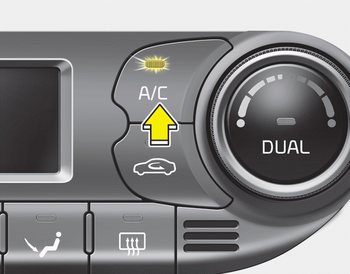
Press the A/C button to turn the air conditioning system on (indicator light will illuminate).
Press the button again to turn the air conditioning system off.
 Fan speed control
The fan speed can be set to the desired
speed by pressing the fan speed control
button.
To change the fan speed, press the upper
button () for higher speed, or press
the lower button () for ...
 OFF mode
Press the OFF button to turn off the air
climate control system. However, you can
still operate the air intake buttons as long
as the ignition switch is in the ON position. ...
Other information:
Kia Cee'd JD Owners Manual: Emergency Stop Signal (ESS)
The Emergency Stop Signal system
alerts the driver behind by blinking the
stop light when the vehicle is braked rapidly
and severely.
The system is activated when:
The vehicle suddenly stops (vehicle
speed is over 55km/h and the vehicle
deceleration at greater than 7 m/s2)
The ABS ...
Kia Cee'd JD Service Manual: Center Fascia Panel Components and components location
Component Location
1. Center fascia panel
...
© 2017-2026 www.kceed.com
