
Kia Cee'd: How the system works (Parking mode) / 6. Smart Parking Assist System completed
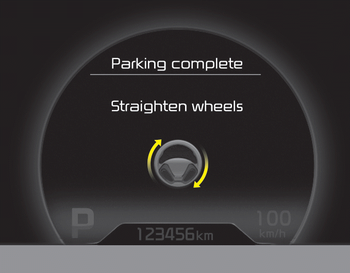
Complete parking your vehicle according to the instructions on the LCD display. If required, manually control the steering wheel and complete parking your vehicle.
✽ NOTICE
The brake pedal must be depressed by the driver while parking your vehicle.
The system may be cancelled in the below conditions:
- Ignoring the gear shift message and drive the vehicle approximately 150cm (59in).
- The front and rear Parking Assist System warning sound (distance from object is within 30cm: continuous beep) is heard at the same time.
- 6 minutes have passed since the vehicle has been controlled by the Smart Parking Assist System.
- The shift lever is changed to the P (Park) or R (Reverse) position while searching for parking space.
 5. Steering wheel control
The above message will appear if the
shift lever is in R (Reverse). The steering
wheel will be controlled automatically.
The system will be cancelled if you
firmly hold the steering wh ...
 How the system works
(Exit mode)
How the system works
(Exit mode)
The Exit Mode operates in the below
condition:
When vehicle speed is below 5 km/h
the first time after the engine has been
started.
After parallel parking is completed with
the Smart ...
Other information:
Kia Cee'd JD Owners Manual: Theft-alarm system
Vehicles equipped with a theft alarm system
will have a label attached to the vehicle
with the following words:
1.WARNING
2. SECURITY SYSTEM
This system is designed to provide protection
from unauthorized entry into the
vehicle. This system is operated in three
stages: the first is ...
Kia Cee'd JD Owners Manual: Battery replacement
A battery should last for several years,
but if the transmitter or smart key is not
working properly, try replacing the battery
with a new one. If you are unsure
how to use or replace the battery, we recommend
that you contact an authorized
Kia dealer.
Type A
1. Insert a slim tool in ...
