
Kia Cee'd: Front Suspension System / Sub Frame Repair procedures
Kia Cee'd JD Service Manual / Suspension System / Front Suspension System / Sub Frame Repair procedures
| Replacement |
| 1. |
Loosen the wheel nuts slightly.
Raise the vehicle, and make sure it is securely supported.
|
| 2. |
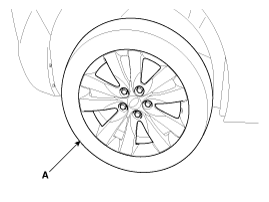
Remove the front wheel and tire (A) from front hub.
|

| 3. |
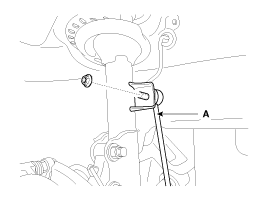
Disconnect the stabilizer link (B) from the front strut assembly (A)
after loosening the nut.
|
| 4. |
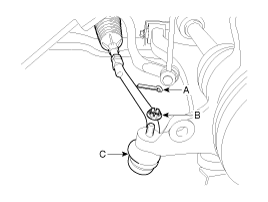
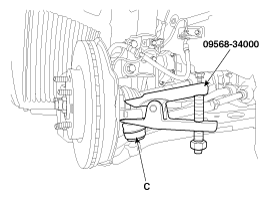
Remove the tie rod end ball joint (C) from the knuckle by using the
SST (09568-34000).
|
| 5. |
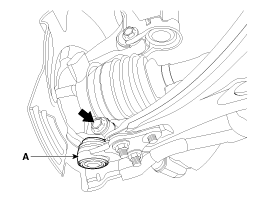
Remove the lower arm (A) from the knuckle.
|
| 6. |
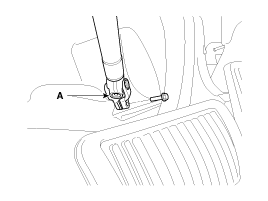
Loosen the bolt and then disconnect the universal joint assembly (A)
from the pinion of the steering gear box.
|
| 7. |
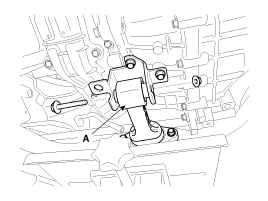
Loosen the bolt & nut and then saperate the roll rod stopper (A).
|
| 8. |
Disconnect the muffler rubber hanger (A).
|
| 9. |
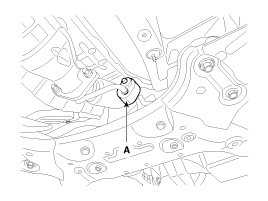
Loosen the bolts & nuts and then remove the sub frame (A).
|
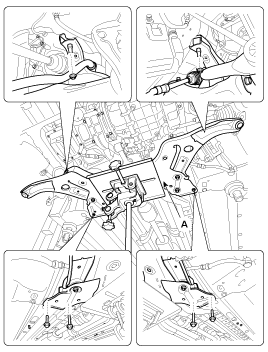
| 10. |
Remove the front lower arm.
(Refer to Front Suspension System - "Front Lower Arm")
|
| 11. |
Remove the front stabilizer bar.
(Refer to Front Suspension System - "Front Stabilizer Bar")
|
| 12. |
Remove the steering gearbox.
(Refer to Steering System - "Steering Gearbox")
|
| 13. |
Install in the reverse order of removal.
|
| 14. |
Check the wheel Alignment.
(Refer to Tires/Wheels - "Alignment")
|
 Front Stabilizer Link Repair procedures
Replacement
1.
Loosen the wheel nuts slightly.
Raise the vehicle, and make sure it is securely supported.
2.
Remove the front w ...

Other information:
Kia Cee'd JD Service Manual: Turn Signal Lamp Repair procedures
Removal
Door Mirror Turn Signal Lamp
1.
Disconnect the negative (-) battery terminal.
2.
Remove the mirror (A) from the mirror holder.
...
: Intelligent Adaptive Cruise Control
How Does Intelligent Adaptive Cruise Control Work
Intelligent adaptive cruise control
combines speed sign recognition with
adaptive cruise control to adjust the cruise
set speed to the speed limit detected by
the speed sign recognition system. As the
system detects new speed signs, the set
spe ...
© 2017-2026 www.kceed.com
