
Kia Cee'd: Smart key / Smart key function
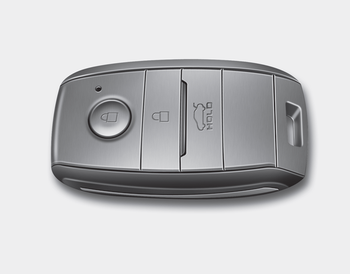
1.Door lock
2.Door unlock
3.Tailgate unlock
With a smart key, you can lock or unlock a door and tailgate and even start the engine without inserting the key.
The functions of the buttons on a smart key are similar to the remote keyless entry. Refer to the “Remote keyless entry” in this chapter.
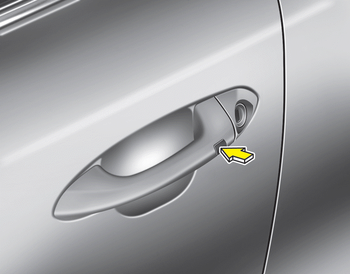
Carrying the smart key, you may lock and unlock the vehicle doors and tailgate.
Also, you may start the engine. Refer to the following, for more details.
 Smart key
...
 Locking
1. Carry the smart key.
2. Close all doors.
3. Press the button of the outside door
handle.
4. The hazard warning lights will blink
once (the engine hood and tailgate
must be closed). Also, t ...
Other information:
Kia Cee'd JD Service Manual: Description and operation
Description
The SMART KEY system is a system that allows the user to access and operate
a vehicle in a very convenient way. To access the vehicle, no traditional key
or remote control unit is needed.
The user carries a SMART KEY FOB which does not require any conscious act ...
: Using the Instrument Cluster Display Controls
WARNING: Driving while distracted
can result in loss of vehicle control, crash
and injury. We strongly recommend that
you use extreme caution when using any
device that may take your focus off the
road. Your primary responsibility is the
safe operation of your vehicle. We
recommend against th ...
