
Kia Cee'd: Rear Seat / Rear Seat Back Cover Components and components location
Kia Cee'd JD Service Manual / Body (Interior and Exterior) / Rear Seat / Rear Seat Back Cover Components and components location
| Component Location |
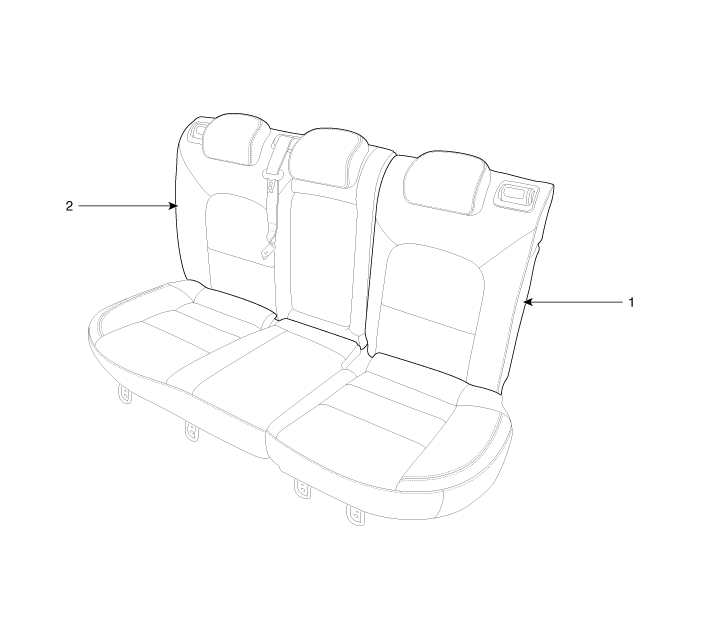
| 1. Rear seat back cover [LH]
|
2. Rear seat back cover [RH]
|
 Rear Seat Assembly Repair procedures
Replacement
1.
After loosening the mounting bolts and then push it up and remove the
rear seat cushion assembly (A).
Tightening torque ...
 Rear Seat Back Cover Repair procedures
Replacement
[LH]
•
Put on gloves to protect your hands.
...
Other information:
: Driving Through Shallow Water
WARNING: Do not attempt to
cross a deep or flowing body of water.
Failure to follow this instruction could
result in the loss of control of your
vehicle, personal injury or death.
Note: Driving through standing water can
cause vehicle damage.
Note: Engine damage can occur if water
enters the a ...
Kia Cee'd JD Owners Manual: Rocking the vehicle
If it is necessary to rock the vehicle to
free it from snow, sand, or mud, first turn
the steering wheel right and left to clear
the area around your front wheels. Then,
shift back and forth between 1 (First) and
R (Reverse) in vehicles equipped with a
manual transaxle or R (Reverse) and ...
© 2017-2026 www.kceed.com
