
Kia Cee'd: Rear Bumper / Rear Bumper Cover Components and components location
Kia Cee'd JD Service Manual / Body (Interior and Exterior) / Rear Bumper / Rear Bumper Cover Components and components location
| Component Location |
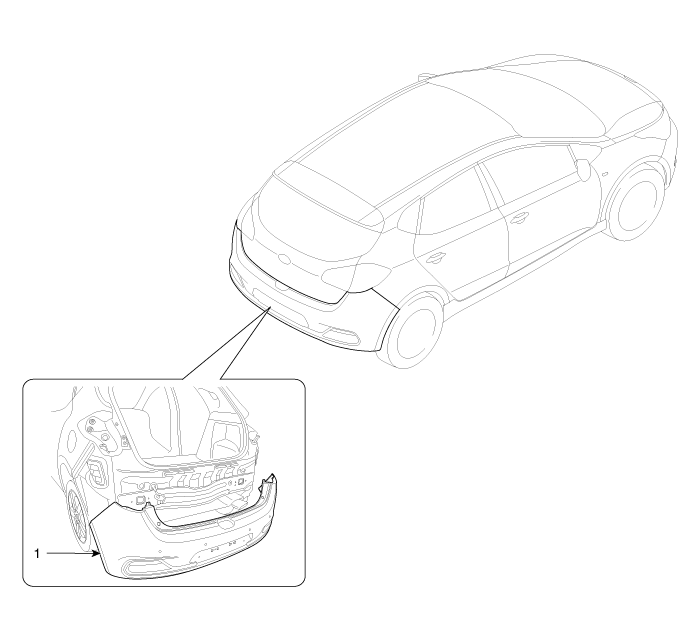
| 1. Rear bumper cover |
 Components and components location
Components
[5Door]
1. Rear bumper cover
2. Rear bumper side bracket [RH]
3. Rear bumper side bracket [LH]
4. Rear bumper under cover
...
 Rear Bumper Cover Repair procedures
Replacement
•
Put on gloves to protect your hands.
...
Other information:
Kia Cee'd JD Service Manual: Rear Wheel Speed Sensor Repair procedures
Removal
1.
Remove the rear wheel and tire.
Tightening torque:
88.3 ~ 107.9 N.m (9.0 ~ 11.0 kgf.m, 65.1 ~ 79.6 lb-ft)
2.
Remove the rear wheel speed sensor mounting bolt (A).
...
Kia Cee'd JD Owners Manual: Checking the engine oil level
■ Gasoline engine
■ Diesel engine
1. Be sure the vehicle is on level ground.
2. Start the engine and allow it to reach
normal operating temperature.
3. Turn the engine off and wait for a few
minutes (about 5 minutes) for the oil to
return to the oil pan.
4. Pull the dipstick out, ...
© 2017-2026 www.kceed.com
