
Kia Cee'd: Interior features / Power outlet
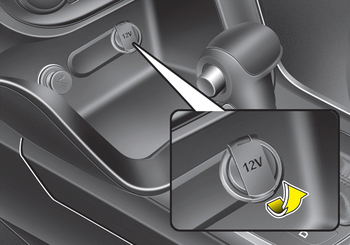
■ Front • Type A
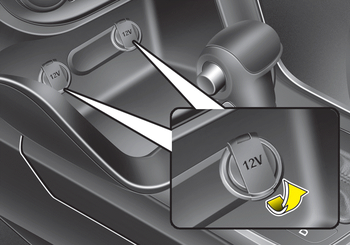
■ Front • Type B
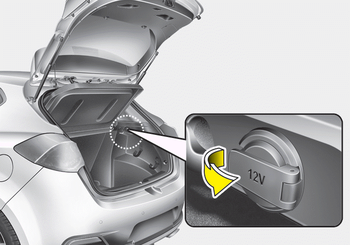
■ Rear • Type A
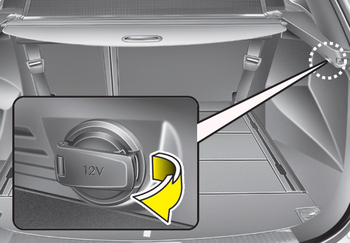
■ Rear • Type B
The power outlet is designed to provide power for mobile telephones or other devices designed to operate with vehicle electrical systems. The devices should draw less than 10 amps with the engine running.
CAUTION
- Use power outlet only when the engine is running and remove the accessory plug after use. Using the accessory plug for prolonged periods of time with the engine off could cause the battery to discharge.
- Do not use an electric accessory or equipment the power consumption of which is greater than 12V (10A). It may cause damage to the power outlet or vehicle wiring harness.
- Only use 12V electric accessories which are less than 10A in electric capacity.
- Adjust the air-conditioner or heater to the lowest operating level when using the power outlet.
- Close the cover when not in use.
- Some electronic devices can cause electronic interference when plugged into a vehicle’s power outlet. These devices may cause excessive audio static and malfunctions in other electronic systems or devices used in your vehicle.
- Make sure that the electric devices are plugged in securely. If not, it could cause a malfunction of electric systems.
- If you use an electric device with a battery, electric current may flow from the electric device into the vehicle and may cause a malfunction of electric systems. Only use electric devices which could prevent flowing of current into the vehicle.
WARNING
Do not put a finger or a foreign element (pin, etc.) into a power outlet and do not touch with a wet hand. You may get electrocuted or fire may occur.
 Sunvisor
Use the sunvisor to shield direct light
through the front or side windows.
To use a sunvisor, pull it downward.
To use a sunvisor for a side window, pull
it downward, unsnap it from the bracke ...
 Aux, USB and iPod®
You can use an aux port to connect audio
devices and an USB port to plug in an
USB and also an iPod® port to plug in an
iPod.
✽ NOTICE
When using a portable audio device
connected to th ...
Other information:
Kia Cee'd JD Service Manual: Back-up Lamp Switch Specifications
Specifications
Item
Specified
Type
ON/OFF
Operation condition
Reverse gear
Operation voltage
10V ~ 15V
Operation temperatures
-30°C ...
: Starting the Engine
Before starting the engine, check the
following:
Make sure the headlamps and
electrical accessories are off.
Make sure the parking brake is on.
Make sure the transmission is in park
(P).
Fully press the brake pedal.Note: Do not touch the accelerator
pedal.
Turn the key to position II ...
