
Kia Cee'd: Speed Limit Information Function (SLIF) / Display

■ No reliable speed limit information
- If the system doesn’t have a reliable speed limit information, the following symbol is displayed in both the instrument cluster and navigation screen.
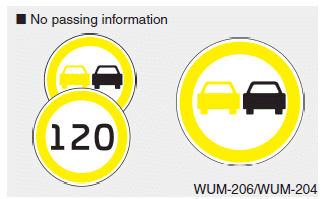
■ No passing information
- If the system detect no passing sign, no passing is displayed in both the instrument cluster and navigation screen.
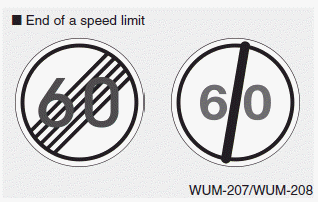
■ End of a speed limit
- After passing "end of speed limitation“ sign SLIF provides information from navigation to inform driver of perhaps afterwards applicable speed limit.
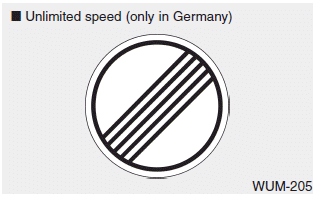
■ Unlimited speed (only in Germany)
- For some areas on highways in germany there's no speed limit applicable. In that case SLIF shows "end of limitation" traffic sign as long as you don't pass another speed limit sign.
 Operation
If a traffic sign that is relevant to your
vehicle is passed, the system displays
the information of the speed limits and
no passing restrictions to the driver.
When the driver turn on ...
 Warning message
The message will appear when camera’s
field of view is covered by some objects.
The system stops until the field of view is
normal.
Check the windshield around the camera
view area.
If t ...
Other information:
: Starting the Engine
Before starting the engine, check the
following:
Make sure the headlamps and
electrical accessories are off.
Make sure the parking brake is on.
Make sure the transmission is in park
(P).
Fully press the brake pedal.Note: Do not touch the accelerator
pedal.
Turn the key to position II ...
Kia Cee'd JD Service Manual: Components and components location
Component Location
1. Cowl top cover
...
© 2017-2026 www.kceed.com
