
Kia Cee'd: Blind Spot Detection system / Blind Spot Detection Unit" Repair procedures
Kia Cee'd JD Service Manual / Body Electrical System / Blind Spot Detection system / Blind Spot Detection Unit" Repair procedures
| Removal |
| 1. |
Disconnect the negative (-) battery terminal.
|
| 2. |
Remove the rear bumper cover.
(Refer to Body - "Rear Bumper Cover")
|
| 3. |
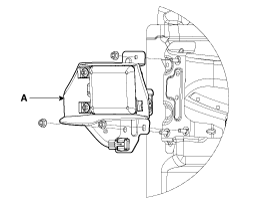
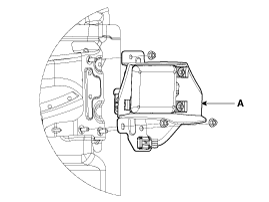
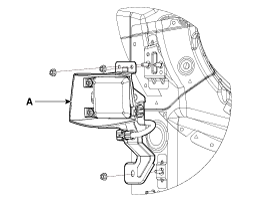
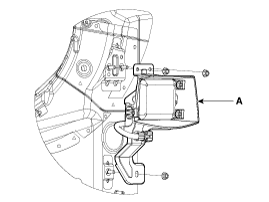
Remove the BSD unit (A) after loosening the mounting nuts.
[3.5 Door]
(LH)
(RH)
[Wagon]
(LH)
(RH)
|

| Installation |
| 1. |
Install the BSD units to the rear bumper.
|
| 2. |
Install the rear bumper cover.
|
| 3. |
Connect the negative (-) battery terminal.
|
 Blind Spot Detection Unit" Schematic diagrams
Circuit Diagram
...
 Blind Spot Detection Switch Components and components location
Circuit Diagram
...
Other information:
Kia Cee'd JD Service Manual: Console Armrest Repair procedures
Replacement
•
When prying with a flat-tip screwdriver, wrap it with protective
tape, and apply protective tape around the related parts, to
prevent damage.
...
Kia Cee'd JD Service Manual: Puddle Lamp Repair procedures
Removal
1.
Disconnect the negative (-) battery terminal.
2.
Remove the mirror (A) from the mirror holder.
Be careful not to ...
© 2017-2026 www.kceed.com
