
Kia Cee'd: Trip computer / Average speed (km/h or MPH)
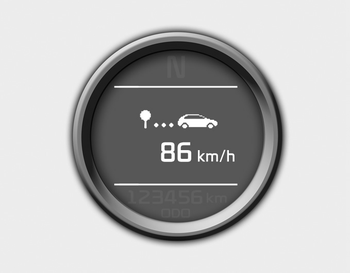
This mode calculates the average speed of the vehicle since the last average speed reset.
Even if the vehicle is not in motion, the average speed keeps going while the engine is running.
Pressing the  button for more
than 1
second, when the average speed is displayed,
clears the average speed to zero
(---).
button for more
than 1
second, when the average speed is displayed,
clears the average speed to zero
(---).
 Instant fuel economy (L/100 km or MPG)
This mode calculates the instant fuel consumption
during the last few seconds.
✽ NOTICE
If the vehicle is not on level ground or
the battery power has been interrupted,
the “Distanc ...
 Elapsed time
This mode indicates the total time traveled
since the last driving time reset.
Even if the vehicle is not in motion, the
driving time keeps going while the engine
is running.
The meter’s w ...
Other information:
Kia Cee'd JD Service Manual: ISG (Idle Stop & Go) Description and operation
Description
Idle Stop & Go (ISG) system switches off the ignition when vehicle is stopped,
and then restarts the ignition and starts the vehicle when accelerator is pushed.
It temporarily stops the engine while waiting for signal or idling to improve
fuel efficiency and ...
Kia Cee'd JD Owners Manual: Auto Start
To restart the engine from idle stop
mode
Press the clutch pedal when the shift
lever is in the N (Neutral) position.
A message "Press Clutch Pedal for Auto
Start" will appear on the LCD display.
The engine will start and the green
AUTO STOP () indicator on the
instrument clu ...
