
Kia Cee'd: Remote keyless entry / Remote keyless entry system operations
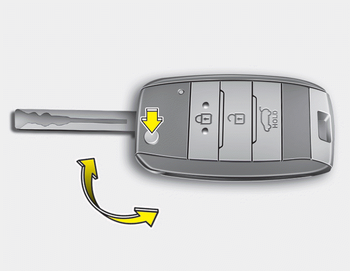
■ Type A
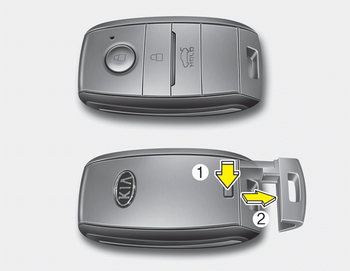
■ Type B
Type A
- To unfold the key, press the release button then the key will unfold automatically.
- To fold the key, fold the key manually while pressing the release button.
CAUTION
Do not fold the key without pressing the release button. This may OJD043244 damage the key.
Type B
- To remove the mechanical key, press and hold the release button and remove the mechanical key.
- To reinstall the mechanical key, put the key into the hole and push it until a click sound is heard.
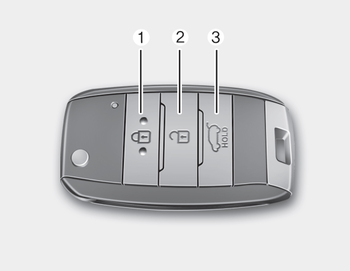
■ Type A
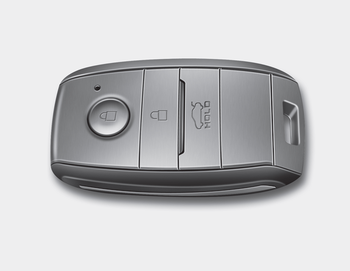
■ Type B

 Lock (1)
1. Close all doors.
2. Press the lock button.
3. The hazard warning light will blink
once to indicate that all doors are
locked (the engine hood and tailgate
must be closed). Also, the outside ...
Other information:
Kia Cee'd JD Owners Manual: Locking
1. Carry the smart key.
2. Close all doors.
3. Press the button of the outside door
handle.
4. The hazard warning lights will blink
once (the engine hood and tailgate
must be closed). Also, the outside
rearview mirror will automatically fold
if the outside rearview mirror folding
swit ...
Kia Cee'd JD Owners Manual: Trip computer
The trip computer is a microcomputercontrolled
driver information system that
displays information related to driving
when the ignition switch is in the ON
position. All stored driving information
(except odometer, distance to empty and
instant fuel economy) resets if the battery
is ...
