
Kia Cee'd: Timing System / Idler Components and components location
Kia Cee'd JD Service Manual / Engine Mechanical System / Timing System / Idler Components and components location
| Components |
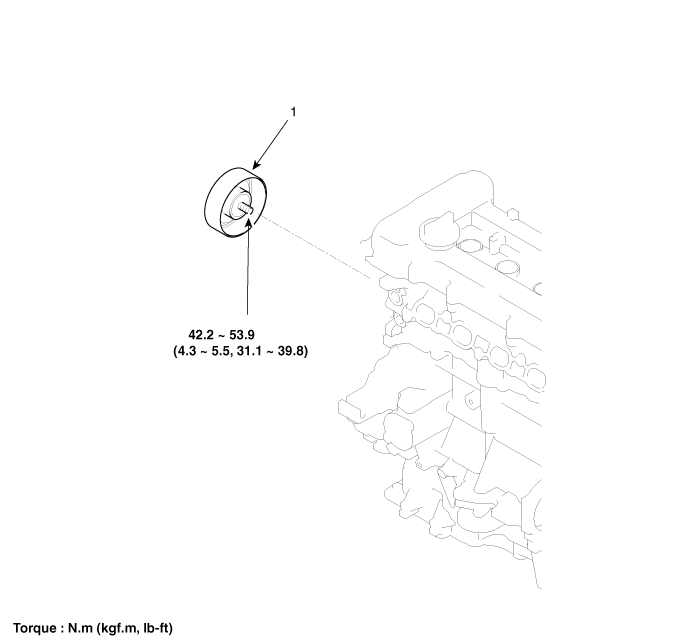
| 1. Idler |
 Drive Belt Repair procedures
Removal
1.
Disconnect the battery negative terminal.
2.
Loosen the alternator tension adjusting bolt (A) to loosen tension.
...
 Idler Repair procedures
Removal and Installation
1.
Remove the drive belt.
(Refer to Timing System - "Dreve Belt")
2.
Remove the idler (A).
...
Other information:
: Hints on Controlling the Interior Climate - Vehicles With: Automatic
Temperature Control
General Hints
Note: Prolonged use of recirculated air may
cause the windows to fog up.
Note: You may feel a small amount of air
from the footwell air vents regardless of the
air distribution setting.
Note: To reduce humidity build-up inside
your vehicle, do not drive with the system
switched of ...
: Fuses
Fuse Precautions
WARNING: Always disconnect the
battery before servicing high current
fuses.
WARNING: To reduce risk of
electrical shock, always replace the
cover to the power distribution box
before reconnecting the battery or
refilling fluid reservoirs.
WARNING: Always replace a fuse
with o ...
© 2017-2026 www.kceed.com
